by Steve Sorbo | May 1, 2018 | TCN Content
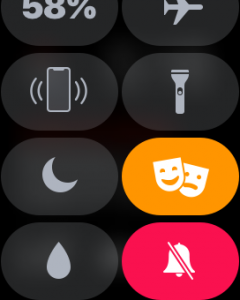
Attend any live theater presentation, and someone will ask the audience to silence their cell phones. But what about your Apple Watch? You don’t want it lighting up or making noise during the show either. To ensure that doesn’t happen, swipe up on the face to display Control Center, and then tap the theater masks icon to enable Theater mode (you may have to scroll down to see it). That automatically turns on Silent mode and prevents the screen from lighting up unless you tap it, press a button, or on the Apple Watch Series 2 or 3, turn the Digital Crown. To leave Theater mode after the performance, tap the masks icon in Control Center again.

by Steve Sorbo | Apr 2, 2018 | TCN Content
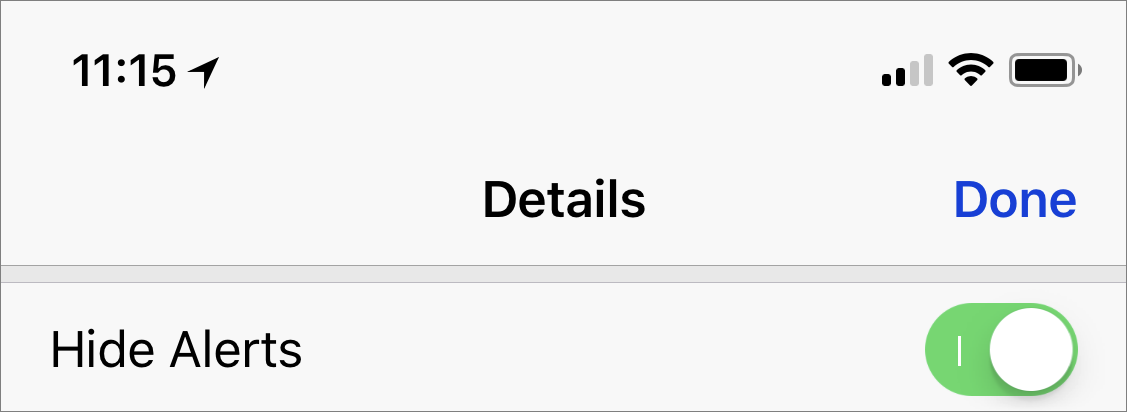
A client got in touch recently with a maddening problem. When he received texts on his iPhone, Messages displayed notifications for messages from everyone…except his wife! Needless to say, this was a problem. Since notifications appeared correctly for other people, it wasn’t related to overall settings. It turned out that he—or someone else, or iOS gremlins—had inadvertently enabled the Hide Alerts switch for the Messages conversation with his wife. To fix it, all he had to do was display the conversation in Messages, tap the i button at the upper right, and disable Hide Alerts. (In the Mac version of Messages, click the Details button and look for the Do Not Disturb checkbox.) It’s a good feature designed to let you mute a chatty group conversation, but it can cause stress if applied to the wrong conversation accidentally.

Recent Comments