
by Steve Sorbo | Aug 27, 2026 | TCN Content, Uncategorized
In a move designed to clear the decks in advance of the company’s September 9th iPhone and Apple Watch unveiling, Apple has refreshed its compact desktop Mac lineup with new chips, faster connectivity, and—unsurprisingly given the ongoing memory shortage—higher prices. The Mac mini receives the new M6 chip and M5 Pro, while the Mac Studio gains the M5 Max and the new M5 Ultra. Both are available for pre-order now and ship September 22.
Mac mini Gets M6 and M5 Pro
Skipping the M5 at the base level, the Mac mini debuts Apple’s new M6 chip, which is the first to use a 2-nanometer manufacturing process that promises increased performance and power efficiency. The M6 features a 12-core CPU (two more than before) and a 12-core GPU with Neural Accelerators in each core—a first for the Mac mini. Apple claims up to 4x faster AI performance compared to the M4 model, along with 2x faster graphics and storage. 16 GB of unified memory is standard, with 24 GB and 32 GB options.

For users who need more power, the Mac mini with M5 Pro offers a 15-core or 18-core CPU and a 16-core or 20-core GPU, with 24 GB of memory standard and support for up to 64 GB. The M5 Pro model also includes Thunderbolt 5 ports instead of the M6’s Thunderbolt 4 ports.
Both models gain Wi-Fi 7, Bluetooth 6, Thread, and upgraded 2.5Gb Ethernet (with 10Gb available as an option). New genlock support through USB-C enables precise synchronization between a display and camera—including iPhone 17 Pro—for video professionals who need frame-accurate capture. The front panel retains two USB-C ports and a headphone jack.
Pricing continues to climb. The M6 Mac mini starts at $899—$100 more than the post-June M4 pricing and $300 more than the original M4 launch price. The M5 Pro model starts at $1,699, up $100 from the June adjustment.
Mac Studio Adds M5 Max and M5 Ultra
The Mac Studio receives the M5 Max and the new M5 Ultra, Apple’s most powerful chip ever. The M5 Ultra uses a quad-die architecture—combining four smaller dies rather than two larger ones—which improves manufacturing yields while delivering extraordinary performance.

The M5 Max model offers an 18-core CPU, a 32-core or 40-core GPU, and 36 GB to 128 GB of unified memory—plenty for most professional workflows.
When that’s not enough, the M5 Ultra features a 30-core or 36-core CPU, a 64-core or 80-core GPU with Neural Accelerators, and 96 GB to 512 GB of unified memory with 1.2 TB/s of bandwidth. Apple claims up to 4.3x faster AI performance compared to the M3 Ultra and 1.8x faster graphics. For teams running large AI models locally, multiple Mac Studio systems can be clustered via Thunderbolt 5 and RDMA (remote direct memory access) to create a shared memory pool.
Both Mac Studio models gain Wi-Fi 7, Bluetooth 6, and Thread via Apple’s N1 wireless chip. Storage performance doubles thanks to a new SSD architecture. As with the Mac mini, genlock support through USB-C enables frame-accurate synchronization between displays and cameras.
The M5 Max Mac Studio starts at $2,499—unchanged from the June price hike. The M5 Ultra model starts at $5,499, up $200 from June (and $1,500 more than the pre-June price). The 512 GB memory configuration won’t ship until October.
Should You Upgrade?
For users with M1 or M2 Mac mini models, the performance gains may be substantial enough to justify an upgrade. Those with M4 Mac mini models can probably wait unless they specifically need the M6’s improved AI capabilities or the M5 Pro’s additional memory and Thunderbolt 5. And if you’re still using an Intel-based Mac mini for anything where performance matters, upgrade immediately—the difference is like night and day.
Mac Studio users face a different equation. The M5 Max and M5 Ultra deliver meaningful improvements for performance-driven professionals whose work involves large-scale video projects, complex 3D rendering, or AI inference. For such users, the speed improvements may justify upgrading even from M4 Max or M3 Ultra machines.
The memory crisis shows no signs of abating, so don’t assume prices will drop. If you need a new desktop Mac and one of these new models fits in your budget, they’re all excellent choices.
(Featured image by Apple)
Social Media: New M-series chips! Apple’s refreshed Mac mini debuts the M6 chip, while the Mac Studio gets the speedy M5 Ultra with up to 512 GB of unified memory. Performance soars—but so do prices amid the memory shortage.

by Steve Sorbo | Aug 7, 2026 | TCN Content, Uncategorized
Apple released macOS 26.6 Tahoe, iOS 26.6, and iPadOS 26.6 with a huge number of fixes for security vulnerabilities. However, the release notes for each also include an unusual comment along the lines of “optimizes the Spotlight index in preparation for macOS 27.” At WWDC, Apple promised a rearchitected Spotlight search engine that would be faster and more reliable, so this optimization is likely designed to reduce the time that Spotlight spends rebuilding its index (and thus degrading system performance) after the forthcoming major upgrade. We’ll see how well it works, but for now, consider Spotlight optimization another reason to update to the 26.6 versions using Software Update before you make the jump to the 27 versions later this year.

(Featured image by iStock.com/Pakpoom Makpan)
Social Media: We recommend updating to macOS 26.6 Tahoe, iOS 26.6, and iPadOS 26.6, not just for the many security fixes, but also because they promise to optimize Spotlight performance for the forthcoming version 27 upgrades.

by Steve Sorbo | Aug 7, 2026 | TCN Content, Uncategorized
We’ve all ended up with a collection of random USB-C cables that arrived with devices, were purchased while traveling, or were left by visitors. But you can’t look at a cable to determine its data speed, how much power it can carry, or whether it’s hampering display quality. You could buy a hardware tester, but for most people, the free WhatCable is all you need. Just launch it and plug in a cable to learn what the cable can do and whether it might be causing performance or charging problems. If you need even more information, the £9.99 WhatCable Pro lets you name individual cables, troubleshoot flaky cables, and see what each port, cable, dock, adapter, and device supports and what was actually negotiated.

(Featured image by iStock.com/monticelllo)
Social Media: Not sure if your USB-C cable is delivering power and data as it should? USB-C cables look similar but may work differently. Use the free WhatCable app to see what each of your cables supports.

by Steve Sorbo | Aug 7, 2026 | TCN Content, Uncategorized
Automatic offloading of seldom-used apps can be a good strategy for recovering space on an iPhone whose storage is almost full, and iOS can do this for you in Settings > Apps > App Store > Offload Unused Apps. When you open an app that was offloaded, iOS will re-download it from the App Store so you can use it—assuming you have Internet access. But what if you have little or no connectivity when you need an offloaded app? For instance, if you have a New York State Parks Empire Pass, you might find yourself unable to use it if the necessary NY State Parks Explorer app has been offloaded and connectivity is weak at the park. We can also imagine app offloading causing problems if you need to use a local transit app after an international flight but haven’t yet arranged local cellular service. If you’re concerned about this possibility, disable Offload Unused Apps and make sure to download any that have been offloaded already.

(Featured image generated by Adam Engst with ChatGPT)
Social Media: Automatic offloading of unused apps saves iPhone storage, but it’s inconvenient if you need an app that has been offloaded and there’s no connectivity to redownload it. Plan ahead!
by Steve Sorbo | Aug 7, 2026 | TCN Content, Uncategorized
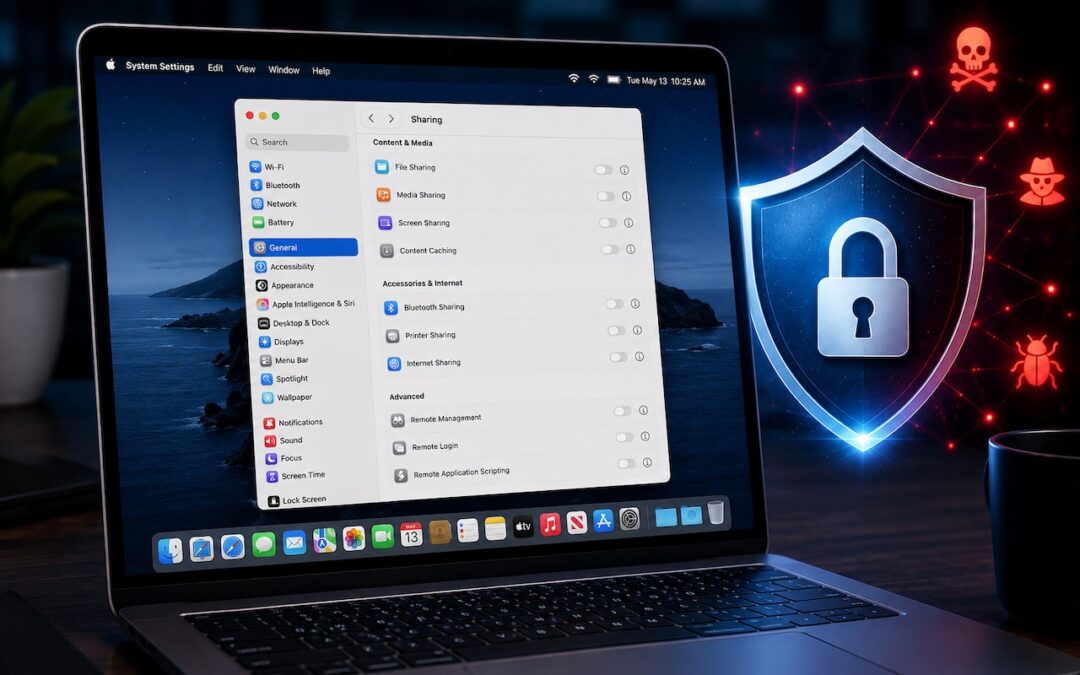
Apple just released macOS 26.6.1 Tahoe, macOS 15.7.9 Sequoia, and macOS 14.8.9 Sonoma solely to patch a vulnerability in Screen Sharing that could allow unauthenticated connections from attackers on the network. Yes, you should update, but also take a moment to visit System Settings > General > Sharing and turn off any sharing services you aren’t actively using. Many security breaches stem from simple oversight, and it’s easy to turn on a service and forget to turn it off later. All these services let you limit access to particular users, but passwords can be stolen, accounts can be compromised, and server software can have bugs. The most important services to turn off when not in active use are File Sharing, Screen Sharing, Remote Management, Remote Login, and Remote Application Scripting. We also caution against leaving Printer Sharing and Internet Sharing on unnecessarily.

(Featured image generated by Adam Engst with ChatGPT)
Social Media: Apple patched a Screen Sharing flaw that let attackers connect without authentication. Update now—and while you’re thinking about it, turn off any sharing services you’re not actively using.

Recent Comments