by Steve Sorbo | Oct 2, 2026 | TCN Content, Uncategorized
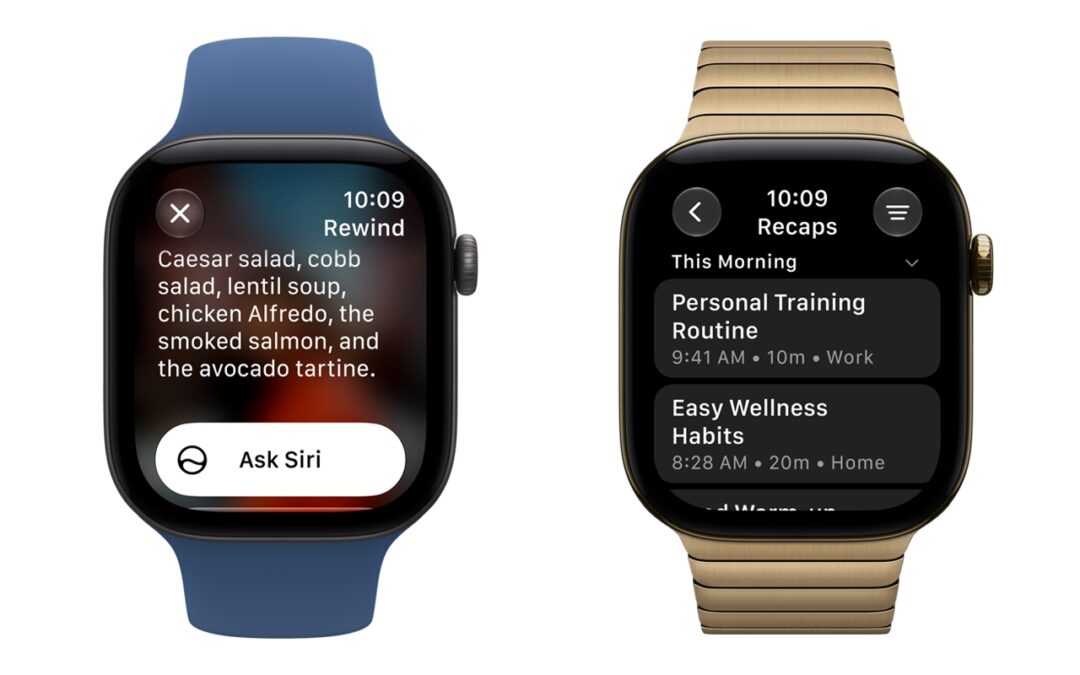
The new Live Rewind and Siri Recap features in the Apple Watch Series 12 and Apple Watch Ultra 4 sound convenient enough. Live Rewind lets you recall anything said in a conversation in the past 15 seconds, while Siri Recap takes notes throughout the day to create an Apple Intelligence summary.
That’s fine unless a meeting covers sensitive information like a personnel dispute, trade secrets, legal advice, or patient information. Before a watch turns workplace conversations into saved notes, employees need to know when that’s appropriate and where the notes may go.
Apple says it will release both features in beta later in 2026, giving businesses time to set rules and tell employees when they can use them.
Understand What the Features Will Do
Apple describes two different ways to help people remember conversations:
- Live Rewind: Double-pressing the Digital Crown will display text from the previous 15 seconds of conversation. You’ll be able to ask Siri about it or save the snippet to the Siri app.
- Siri Recap: When enabled, this feature will generate a title and key points from conversations for later review. It’s intended to provide a summary, without identifying which person said what.
Both features require opting in, and Apple says users will be able to control when and where Siri Recap runs or turn it off from Control Center. Live Rewind will play a chime even when the watch is silenced, accompanied by an on-screen animation and microphone indicator.
Apple says these features won’t create stored audio recordings: protected hardware processes the audio and then deletes it. Saved text will be end-to-end encrypted when synced through iCloud in the Siri app.
These are sensible protections, but they don’t cover every concern a business might have.
Decide Which Conversations Are Appropriate
Start with situations your employees actually encounter. A discussion about arranging the break room carries different expectations from a performance review or a client explaining an unreleased product.
We recommend a short written policy that addresses the following:
- Permitted uses: Identify the kinds of conversations for which employees may use these features. Consider starting with explicitly approved, non-sensitive meetings.
- Confidential discussions: Establish where the features must remain off, such as personnel meetings, legal consultations, and discussions involving client secrets.
- Notice and permission: Tell employees how to explain the intended use and obtain permission before a conversation begins. Give participants an easy way to decline.
- Personal devices: Apply the policy to employees’ own watches and phones as well as company equipment. Explain whom to contact about accessibility needs or exceptions.
A chime is no substitute for asking permission, and a colleague’s Apple Watch isn’t proof that note-taking is active.
Have legal counsel review how applicable privacy and consent rules affect your policy. Employees also shouldn’t assume that a missing audio file makes every use acceptable.
Plan for the Notes That Remain
According to Apple’s support documentation, unsaved Siri Recap summaries will automatically disappear after 7 days. Users will also be able to save or export summaries and Live Rewind snippets to other apps. Deleting an item in Siri will remove it from synced devices. Don’t assume that will retrieve copies already exported or shared.
Decide which accounts and apps may hold work-related notes, who may receive them, and how long they should be retained. Include a process for reporting accidental capture of confidential information, making it clear whom to notify when violations occur.
Apple warns that generated summaries and snippets may omit or misunderstand important details, and that sensitive-information filtering may not catch everything. Require employees to verify commitments, deadlines, and prices before acting on a summary or adding it to an official record.
Healthcare Businesses Need a Closer Review
A patient conversation requires more scrutiny than an ordinary staff meeting. A medical practice considering these features should involve its privacy or compliance lead and IT adviser before allowing employees to use them around patient information.
HHS guidance explains that a cloud provider maintaining electronic protected health information on behalf of a HIPAA covered entity is a business associate—even if it cannot decrypt the information—and must comply with the HIPAA requirements that apply to business associates. Appropriate business associate agreements and other HIPAA safeguards are still required.
Apple’s current iCloud terms also pose a contractual problem. Under Requirements for Use of the Service, they prohibit covered entities, business associates, and their representatives from using the service to create, receive, maintain, or transmit protected health information.
Before approving any proposed use, ask:
- Where will patient information travel? Apple says Siri Recap will use Private Cloud Compute to produce summaries. Review processing, syncing, and exports separately rather than assuming everything stays on the watch.
- Do the applicable agreements permit this use? Identify which services are involved and whether the necessary contractual protections exist for those specific services.
- Can the organization control the resulting notes? Consider access, retention, correction, employee departures, and accidental sharing from personal accounts.
- Who will verify clinical details? Don’t treat an automatically generated memory aid as an approved clinical documentation system.
Until those questions are resolved, we recommend keeping these features off for work conversations involving patient information. Address patients’ own use separately through an appropriate notice and discussion process.
Prepare Now, Test after Release
Apple currently lists Apple Watch Series 12 or Apple Watch Ultra 4, a supported paired iPhone, Apple Intelligence, and Siri AI as requirements for these features, with additional language and regional restrictions.
For now, appoint someone to update your device and confidentiality policies. Ask your IT provider to confirm which management controls will be available when these features launch, especially for personally owned devices.
If your business approves a trial, begin with a small group and non-sensitive conversations. Check how activation, saved notes, exports, and deletion behave before expanding access. Employees should have a clear answer to “May I use this here?” before their watches can offer to help.
(Featured image by Apple)
Social Media: Apple’s upcoming Live Rewind and Siri Recap features will help people remember conversations, but workplaces should prepare rules for sensitive information before the features arrive.
by Steve Sorbo | Sep 10, 2026 | TCN Content, Uncategorized
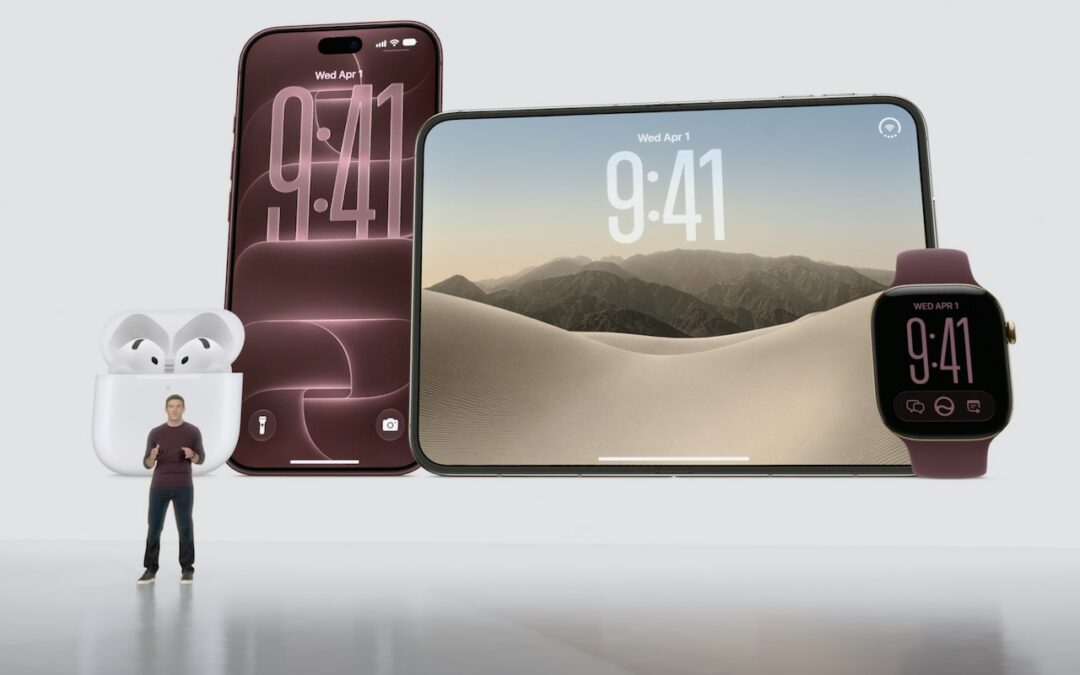
Apple’s annual September event delivered more than the usual annual iPhone and Apple Watch updates. Alongside the iPhone 18 Pro and iPhone 18 Pro Max, new Apple CEO John Ternus led the unveiling of the iPhone Duo—Apple’s first foldable iPhone—the Apple Watch Series 12 and Ultra 4 with new health-sensing and listening capabilities, and the AirPods 5 with Active Noise Cancellation available in both models.
After the event, Apple confirmed that iOS 27, watchOS 27, macOS 27 Golden Gate, iPadOS 27, tvOS 27, and visionOS 27 will ship on September 14. As always, we recommend waiting a week or two before upgrading essential devices and holding off on Golden Gate for a few months until you’re confident your necessary Mac apps are compatible. Always make a backup before upgrading.
Let’s examine the new products.
iPhone 18 Pro and iPhone 18 Pro Max
The iPhone 18 Pro and iPhone 18 Pro Max boast improvements to the camera system, performance, and battery life. Apple did not announce a plain iPhone 18—rumors suggest it will arrive in early 2027.
The headline feature is the new 48-megapixel Fusion Main camera with a variable aperture. For the first time on the iPhone, the camera offers four aperture settings: ƒ/1.48, ƒ/1.8, ƒ/2.8, and ƒ/4.0. The Camera app automatically adjusts the aperture based on lighting conditions, but photographers can also take manual control through new Pro controls. The wider ƒ/1.48 maximum aperture should improve low-light performance and provide shallower depth of field for better bokeh. The Ultra Wide and Telephoto cameras remain unchanged from the iPhone 17 Pro.
Performance should be noticeably better. The A20 Pro chip delivers up to 20% faster CPU performance and 40% faster GPU performance compared to last year’s A19 Pro. The chip also features a Dual 16-core Neural Engine with double the AI processing power.
Apple redesigned the Dynamic Island—where the Face ID sensor lives—to be smaller while displaying more information, now showing up to three Live Activities simultaneously.
Battery life is also better. In Apple’s new “typical use” battery metric, the iPhone 18 Pro offers up to 24 hours, while the Pro Max delivers up to 30 hours. Fast charging has improved as well—the iPhone 18 Pro can add 50% in just 15 minutes with a 60W or higher adapter.

The iPhone 18 Pro starts at $1,199 and the Pro Max at $1,299—$100 increases over last year’s models due to the ongoing memory shortage. Storage upgrade prices have also jumped significantly. Available colors include black, silver, glacier, and burgundy. Pre-orders open at 5 AM Pacific on September 12, with availability beginning on September 18.
If those prices are too steep for your budget, the iPhone 17e ($699), iPhone 16 ($799), iPhone 17 ($899), and iPhone Air ($1,099) remain available, all $100 more than before the event.
Should you upgrade? The iPhone 18 Pro models look great, but unless you want the best possible camera, highest possible performance, and longest battery life, we recommend holding off. An iPhone 15 Pro or newer model that supports Apple Intelligence, which Apple is emphasizing in iOS 27, will likely still meet your needs.
iPhone Duo
The most surprising announcement was the iPhone Duo, Apple’s first foldable iPhone. While foldable Android phones have been interesting but often flawed, the iPhone Duo showcases Apple’s attention to industrial design and software integration.

Closed, the iPhone Duo is about the size of a passport book, with a 5.4-inch outer display that provides 90% of the screen area of the iPhone 18 Pro. When opened, the 7.6-inch inner display is 50% larger than the iPhone 18 Pro Max, offering more screen space for media, gaming, and productivity apps. A nano-texture finish on the inner display reduces glare and minimizes the visibility of the crease.
Apple says that the iPhone Duo’s hinge and integrated magnet array deliver a smooth, secure feel. Despite the hinge, it’s still rated IP68 for water resistance (up to 6 meters for 30 minutes), the same as the iPhone 18 Pro. Ceramic Shield and Ceramic Shield 2 protect from scratches on the back and front, respectively.
Unlike other current iPhones, the iPhone Duo uses Touch ID in the side button rather than Face ID. It’s powered by the same A20 Pro chip as the iPhone 18 Pro models, and Apple claims 24 hours of battery life in typical use.
Apple has reimagined iOS 27 for the iPhone Duo. Lock Screen controls, the Dock, the Dynamic Island, and app navigation appear on the side to maximize vertical content space. When open, the display shows two Home Screen pages with Today View—a scrolling list of widgets—on the left. Content reacts as the iPhone Duo folds, reorients when turned sideways, and switches to the appropriate display when flipped over. iOS on the iPhone Duo even borrows from iPadOS—Split View lets two apps run side by side. StandBy can kick in whenever the iPhone Duo is set down, even if it’s not charging.
The camera system includes a 48-megapixel Fusion Main camera and a 48-megapixel Fusion Ultra Wide, but no variable aperture or Telephoto camera. The folding design enables different camera experiences: Smart Take uses on-device AI to capture photos automatically while subjects are posing, Duo Preview shows a live preview on the outer display so subjects can guide the shot, and Kid Cue plays Peanuts animations to grab children’s attention. Duo FaceTime lets people who are with the user join a video call on the outer display.

The iPhone Duo starts at $1,999 in star white and night sky colors, with pre-orders opening October 16 and availability starting October 23. Apple Pencil support is coming later this year.
The iPhone Duo is clearly aimed at early adopters and those who want a larger display in a pocketable form factor. At $1,999, it costs more than an iPhone 18 Pro and an iPad mini combined, but for those waiting for Apple to enter the foldable market, the iPhone Duo is worth checking out.
Apple Watch Series 12 and Ultra 4
The Apple Watch Series 12 and Apple Watch Ultra 4 focus on health sensing accuracy and introduce Audio Intelligence features powered by the new S11 chip.
The new Health Sensing System delivers what Apple calls “the most accurate heart rate sensing in a wearable.” Larger, more power-efficient green LEDs now measure heart rate every 5 seconds throughout the day—60 times more frequently than before. Heart rate variability is measured up to 24 times more often.
These improvements power a new Readiness feature that analyzes recent activity, training load, vitals, and sleep score to provide a 0-10 score with recommendations: Recover, Pace Yourself, Ready, or Go For It. The score updates throughout the day as new data arrives.
Audio Intelligence represents a new category of Apple Watch features. Sound Recognition alerts Deaf users or those who are hard of hearing to sounds like doorbells, sirens, or crying babies. Shazam now automatically identifies nearby music and displays it in the Smart Stack. Live Rewind shows the previous 15 seconds of conversation as text when you double-press the Digital Crown. Siri Recap creates high-level summaries of conversations for later review. Live Rewind and Siri Recap will arrive in beta later this year and require an iPhone 16 or later, excluding the iPhone 16e.
Although the prospect of an always-listening watch has already raised privacy concerns, Apple emphasizes that Audio Intelligence features don’t create or store audio recordings: raw audio is processed in a hardware-isolated Secure Exclave and immediately deleted, while Live Rewind snippets and Siri Recap summaries synced via iCloud are end-to-end encrypted. We’ll see whether the features prompt the same kind of privacy backlash as Meta’s controversial AI glasses.
The Series 12 now offers up to 10 hours of workout battery life—25% more than the Series 11—while maintaining 24 hours of everyday battery life. Charging is faster: 15 minutes provides up to 12 hours of battery life.
Aluminum models gain Ceramic Shield 2, which Apple says is 60% tougher than the previous Ion-X glass. A new ceramic case option is available in pearl white and night blue. Other finishes include dark bronze, black, light gold, and space gray aluminum, plus radiant gold and natural titanium.

The Apple Watch Ultra 4 gains the same Health Sensing System and Audio Intelligence features, plus improved battery life: up to 50 hours of everyday use, up to 25 hours in Extended Workout mode with full GPS and heart rate, and up to 45 hours in Max Extended Workout mode. It also shares the new fast charging.

Pricing remains unchanged: the Series 12 starts at $399, and the Ultra 4 at $799. Pre-orders are available now, with availability on September 18. The Apple Watch SE 3 remains available, starting at $249.
For most people with an Apple Watch Series 10 or 11, the upgrade may be hard to justify unless Audio Intelligence features are particularly compelling. Those with older models may be considering an upgrade for refreshed battery life, and remember that watchOS 27 requires a Series 9 or later, SE 3, or Ultra 2 or later.
AirPods 5
The AirPods 5 bring Active Noise Cancellation to Apple’s entire open-ear AirPods lineup for the first time. Both the base model and the model with wireless charging case now include ANC, along with Transparency mode, Adaptive Audio, Conversation Awareness, Voice Isolation, Personalized Spatial Audio, and Live Translation.
The AirPods 4 were rated IP54 for dust and water resistance, while the AirPods 5 improve that to IP57, meaning they should survive temporary immersion for up to 30 minutes.
The wireless charging case model retains a few exclusive features: volume swipe on the stems, longer battery life (5 hours with ANC versus 4 hours on the base model), support for Apple Watch and Qi chargers, and a speaker in the case for Find My.

The AirPods 5 with Wireless Charging Case costs $149, $30 less than the $179 AirPods 4 with ANC it replaces, while the base model remains at $129. This makes Active Noise Cancellation more accessible than ever, though those who need maximum noise cancellation should still consider the AirPods Pro 3. It’s probably not worth upgrading from working AirPods unless you need better ANC, but the AirPods 5 will be waiting the next time you need a pair.
(Featured image by Apple)
Social Media: Apple has introduced the iPhone 18 Pro with a variable-aperture camera, the foldable iPhone Duo, Apple Watch Series 12 and Ultra 4 with advanced health sensing, and AirPods 5 with noise cancellation. Here’s what’s new and whether you should upgrade.
by Steve Sorbo | Sep 10, 2025 | Uncategorized
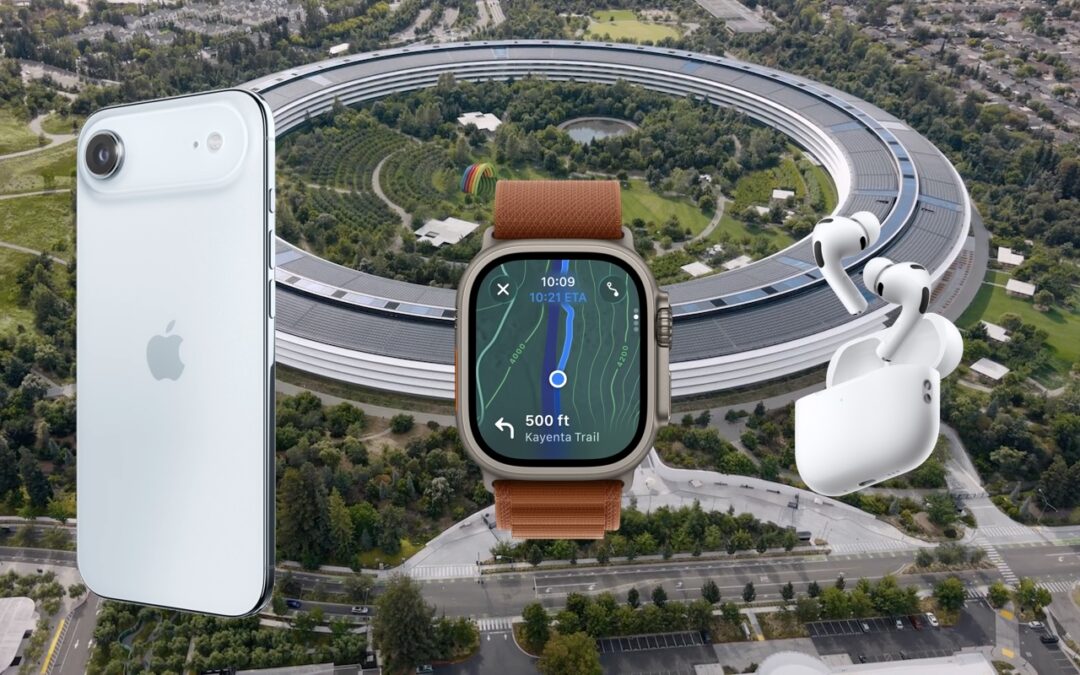
In the tech world, September brings the fruits of Apple’s harvest: new iPhones, Apple Watches, and AirPods. At its recent Awe Dropping event, Apple introduced the new iPhone 17 lineup, the ultra-thin iPhone Air, the Apple Watch SE 3, Apple Watch Series 11, Apple Watch Ultra 3, and the AirPods Pro 3.
These are updates to mature product lines, so the changes from last year’s versions may not be enough to persuade you to upgrade. However, this year’s releases are attractive for anyone wanting to replace an old iPhone, Apple Watch, or set of AirPods that is showing its age or suffering from weak battery life. Pre-ordered products will be delivered and become available in stores on September 19.
After the announcement, Apple revealed on its website that all its next-generation operating systems—macOS 26 Tahoe, iOS 26, iPadOS 26, watchOS 26, and visionOS 26, and likely tvOS 26 and HomePod Software 26—will ship on September 15. Wait a week or two before upgrading essential devices to avoid any last-minute bugs, and hold off on Tahoe for a few months or until you’re confident your necessary Mac apps are compatible. Regardless of when you upgrade, make a backup right before, in case an unexpected problem forces you to erase and restore.
Let’s look at the new products.
iPhone Air and iPhone 17 Lineup
As with the last few years, the best bang for your iPhone buck comes from the new iPhone 17, which gains even more features previously exclusive to the Pro models and is available in black, white, mist blue, sage, and lavender. Apple replaced the Plus model with the ultra-thin iPhone Air, available in space black, cloud white, light gold, and sky blue. Lastly, the company enhanced the iPhone 17 Pro and iPhone 17 Pro Max to make them even more compelling to professional photographers and videographers. These models come in three anodized aluminum colors: silver, deep blue, and cosmic orange.
Notable features shared by all the new models include:
- Center Stage front camera: Powered by a new square sensor, the new selfie camera automatically reframes shots to keep multiple people in view without rotating the phone. The 18-megapixel sensor also promises higher-resolution photos and stabilized video. You can even now record video using both the front and rear cameras at the same time.
- A19 and A19 Pro: The latest generation of Apple silicon boosts CPU and GPU performance, with the A19 Pro adding neural accelerators to each GPU core for faster AI processing. The A19 powers the iPhone 17 and iPhone Air; the iPhone 17 Pro models rely on the A19 Pro.
- Enhanced scratch and crack resistance: Apple made much of its new Ceramic Shield 2 coating, which reportedly provides three times better scratch resistance for the front glass. The iPhone Air and iPhone 17 Pro models also feature Ceramic Shield 2 for the back glass, where Apple says it’s four times more resistant to cracks.
- Better battery life: All the iPhone 17 models have improved battery life compared to last year’s models, and although the iPhone Air has less internal space for the battery, it still offers the same battery life as last year’s iPhone 16 Plus.
- Brighter displays: All models now support 3000 nits of brightness outdoors, making them easier to read in sunlight.
- More storage: 256 GB has become the new standard in storage levels. You can upgrade to 512 GB on the iPhone 17, choose 512 GB or 1 TB on the iPhone Air and iPhone 17 Pro models, and go up to 2 TB on the iPhone 17 Pro Max.
- N1 wireless chip: All new models now rely on an Apple-designed N1 chip that provides Wi-Fi 7, Bluetooth 6, and Thread networking. You won’t notice this—wireless should just work.
More specifically, the iPhone 17 gains a new 6.3-inch display, up from the 6.1-inch screen in the iPhone 16. The display also supports ProMotion adaptive refresh rates up to 120 Hz and includes always-on functionality. Additionally, the display can scale its refresh rate down to 1 Hz to preserve battery life. The iPhone 17’s Dual Fusion camera system is also a significant upgrade from the previous generation, moving from a 12-megapixel Ultra Wide camera to a 48-megapixel Ultra Wide camera that delivers more detail in landscapes and macro photos.

Thanks to a titanium frame, the iPhone Air measures just 5.6 mm thick, making it the thinnest iPhone ever. However, its 6.5-inch screen places it between the iPhone 17 and 17 Pro (6.3-inch) and the iPhone 17 Pro Max (6.9-inch) — it’s slim but not small. To make space for the internal components and battery, Apple replaced the traditional asymmetrical camera bump with a wider “plateau” that runs across the entire back of the iPhone Air. The biggest compromise in the iPhone Air, which may drive many potential buyers toward the iPhone 17 or 17 Pro, is the single 48-megapixel Fusion camera system, which lacks the Ultra Wide camera found in other models or the Telephoto camera in the iPhone 17 Pro. Its photos are likely fine, but they won’t match the quality of those taken with other iPhones if you want to zoom in or out. Lastly, the iPhone Air uses Apple’s new C1X cellular modem chip, which improves upon the C1 introduced in the iPhone 16e. We still don’t know how it compares to the Qualcomm chips in the iPhone 17 models.

The iPhone 17 Pro and Pro Max trade last year’s titanium frames for aluminum that provides better thermal conductivity with only a 7-gram weight gain. Heat dissipation was a focus this year, with Apple also adding a vapor chamber—that’s right, there’s water inside. All three of the iPhone 17 Pro’s Fusion cameras are now 48 megapixels, up from 12 megapixels for the Telephoto camera in last year’s models. You can now enjoy 4x optical-quality zoom with 48-megapixel shots and 8x optical-quality zoom with 12-megapixel images. Professionals will also appreciate ProRes RAW capture and Genlock synchronization support.

In terms of prices, the iPhone 17 starts at $799, the iPhone Air at $999, the iPhone 17 Pro at $1099, and the iPhone 17 Pro Max at $1199. If those prices are too steep for your budget, the iPhone 16e ($599), iPhone 16 ($699), and iPhone 16 Plus ($799) remain for sale.

Should you upgrade? Probably not from one of last year’s models or an iPhone 15 Pro, all of which support Apple Intelligence. With an older iPhone, the decision largely depends on whether you want a larger screen and a better camera (all three have the helpful Camera Control that debuted last year). Also consider how weak your current battery is—that’s often what prompts people to upgrade. You can’t go wrong with an iPhone 17, and even though the iPhone 17 Pro is pricey, you’ll get the best cameras and top performance. Even if it sacrifices some photo quality, the iPhone Air certainly makes a design statement.
Apple Watch SE 3, Apple Watch Series 11, Apple Watch Ultra 3
Last year saw only the release of the Apple Watch Series 10, featuring a thinner case and larger screen, while this year brings new models across all three Apple Watch lines: the Apple Watch SE 3, the Apple Watch Series 11, and the Apple Watch Ultra 3.
- Apple Watch SE 3: The new entry-level model improves on its predecessor with a welcome always-on display. Its new S10 chip enables features like double-tap and wrist flick gestures, along with on-device Siri processing. It provides sleep apnea notifications, and the addition of temperature sensing allows cycle tracking. Fast charging and the ability to play media through the built-in speaker round out the major upgrades, along with 5G cellular capabilities for better connectivity. It’s available in midnight and starlight colors, starting at $249 (cellular adds $50). The Apple Watch SE 3 is a solid option with many fewer compromises than in the past, though it still lacks the ECG app, blood oxygen monitoring, and hypertension detection. It also has a smaller, less-bright display and a shorter battery life (18 versus 24 hours).

- Apple Watch Series 11: There are few changes from last year’s Series 10. A new ceramic coating improves scratch resistance, and 5G connectivity for cellular-enabled models may provide better wireless performance with less battery drain. The battery life is now rated at up to 24 hours. Apple also touted the new hypertension detection and sleep score, but both are features of watchOS 26 and will be available on some earlier models as well. The Apple Watch Series 11 is available in aluminum (jet black, silver, rose gold, and space gray) and titanium (natural, gold, and slate) finishes starting at $399 (cellular adds $100).

- Apple Watch Ultra 3: The most technologically impressive change is support for Messages, Find My, and Emergency SOS via satellite, much like the iPhone 14 and later. There are caveats—you’ll need a cellular plan for Messages and Find My via satellite to work, and sending and receiving SMS/MMS messages requires a powered-on iPhone connected to the Internet, though it doesn’t need to be nearby. It also supports 5G cellular. Another enhancement is a larger display that’s easier to see at off angles and can refresh once per second to show a ticking seconds hand. It also offers up to 42 hours of battery life and up to 72 hours in Low Power Mode. The Apple Watch Ultra 3 is available in natural or black titanium, starting at $799.

It’s difficult to recommend upgrading from an Apple Watch Series 9 or Series 10—the Series 11 is just too similar. However, the Apple Watch SE 3 offers real-world improvements over previous Apple Watch SE models and may also be sufficient for many users upgrading from an old Series 4 or similar. The main reason to upgrade to the Apple Watch Ultra 3 is for satellite connectivity; if you frequently go off-grid, it might be worth trading in an older Apple Watch Ultra.
AirPods Pro 3
The smallest new product Apple announced might be one of the most popular: the upgraded AirPods Pro 3. Apple’s premium earbuds have gained many fans due to their excellent noise cancellation, which effectively blocks out sounds like airplane engines, construction machines, and more—they even let you enjoy loud concerts without worrying about your hearing.
The new AirPods Pro 3 feature an internal redesign and new foam-infused eartips to provide twice the noise cancellation of the AirPods Pro 2 and four times that of the original AirPods Pro. Apple also slightly reduced their size, improved stability, and now offers five sizes of eartips, all designed to make the AirPods Pro 3 more comfortable. Those who exercise with AirPods will appreciate the new IP57 sweat and water resistance, along with heart rate tracking during workouts. The AirPods Pro 3 can even detect your movements and automatically start up to 50 workout types in the Fitness app on your iPhone. Finally, Apple boosted battery life to 8 hours with noise cancellation active (up from 6 hours) and up to 10 hours in Transparency mode.

The most impressive AirPods demo during Apple’s event was Live Translation, which enables real-time translation of face-to-face conversations in English, French, German, Portuguese, and Spanish initially, with Italian, Japanese, Korean, and Chinese coming later this year. If the other person isn’t wearing supported AirPods, you can use your iPhone as a horizontal display to show your speech in their language. Live Translation is powered by computational audio on an Apple Intelligence-enabled iPhone running iOS 26, and it also works on the AirPods Pro 2 and AirPods 4 with Noise Cancellation.
The AirPods Pro 3 remain priced at $249 with a wireless charging case. If noise cancellation is important to you, they’re an easy upgrade, especially if you’re coming from regular AirPods or the original AirPods Pro.
(Featured image by Apple)
Social Media: Apple’s September harvest brings the new iPhone 17 lineup and the iPhone Air, three new Apple Watch models, and the AirPods Pro 3, plus release dates for iOS 26 and macOS 26 Tahoe. Get the details and our upgrade advice.
by Steve Sorbo | Sep 5, 2025 | Uncategorized
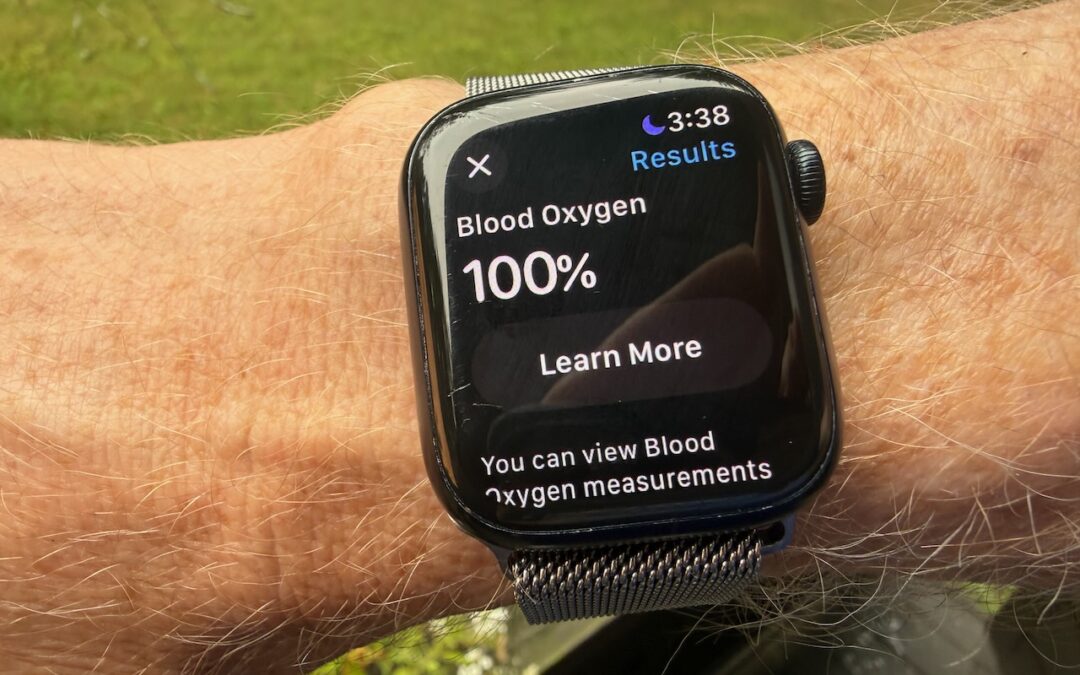
With the release of iOS 18.6.1 and watchOS 11.6.1, Apple restored blood oxygen monitoring capabilities to US Apple Watch Series 9, Series 10, and Ultra 2 models that previously had this feature disabled due to a patent infringement suit by medical device maker Masimo. Apple’s redesign processes blood oxygen data on the paired iPhone rather than on the watch itself. After updating both devices, you can view your blood oxygen readings in the Health app under Browse > Respiratory > Blood Oxygen. If blood oxygen monitoring doesn’t activate immediately after updating, try opening the ECG app on your watch to trigger the necessary software asset download. Apple Watch units that predate the ban and those sold in other countries continue to work as they always have, with the Blood Oxygen app on the watch itself.

(Featured image by Adam Engst)
Social Media: Apple restored blood oxygen monitoring on recent US Apple Watch models through a creative workaround that processes and displays data on the iPhone instead of the watch. Here’s how to get it working again.
by Steve Sorbo | Feb 7, 2025 | Uncategorized
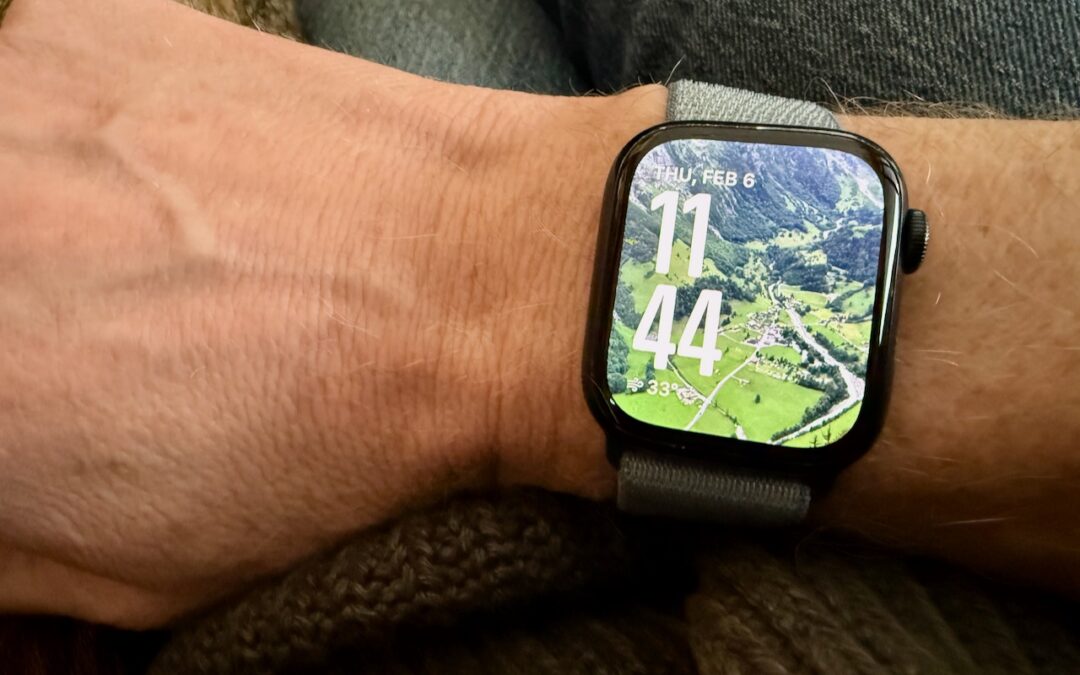
We’re taking a brief break from helping you become more productive to recommend a feature that could spark moments of joy for Apple Watch users. In watchOS 11, the new Photos watch face can display a photo from a shuffled set of images each time you raise your wrist (or tap the screen). Like the Lock Screen customization feature on the iPhone and iPad, the Photos face can dynamically select images of your favorite people, nature, and cities from your photo library. (You can also choose photos manually.) The time appears in an appropriate spot and size. Before the Photos face, we often relied on the complication-heavy Modular face, but we now find being surprised by lovely images from our photo library to be delightful. To add the Photos face to your Apple Watch, open the Watch app on your iPhone, tap Face Gallery, and tap the Photos face. Then, choose where the content will come from, select the time size, and add any desired complications. Once it’s on the Apple Watch, you can tweak style settings there too.

(Featured image by Adam Engst)
Social Media: Let’s take a step back from how technology can enhance productivity to appreciate watchOS 11’s new Photos watch face. The way it unearths photos from your photo library on every wrist raise is delightful.

Recent Comments