
by Steve Sorbo | Oct 19, 2026 | TCN Content
Apple is reinvesting in the home in a big way. At its Welcome Home product launch on October 13, 2026, the company introduced the long-rumored HomeView—a touchscreen smart speaker for the whole family—alongside an updated HomePod mini and a next-generation Apple TV. Apple is also partnering with LG and Schneider Electric on a line of home automation products.
Here are the ship dates for the new products:
- HomePod mini 2: Friday, October 30, 2026
- HomeView and Apple TV 4K: Friday, November 13, 2026
- Home Collection: Begins shipping in December
Introducing HomeView
The headline product is the Apple HomeView, a home hub that plays music, controls home automation devices, and makes FaceTime calls. It’s a curious mix of an iPad mini and a HomePod, with a 7-inch display on a domed speaker base. It’s Apple’s answer to Amazon’s Echo Show and Google’s Nest Hub.

The most interesting thing about the HomeView is that it recognizes up to six people by face, and each gets a personalized Home Screen. Apple customers have wanted multiple user accounts on the iPad for years, and this will only increase that demand.

The HomeView has no App Store. It comes with 15 built-in apps, including:
- Calendar
- FaceTime
- Find My
- Messages
- Reminders
Third-party apps are limited to CarPlay-enabled audio and video apps, such as Spotify, which run from a paired iPhone. Like the Apple Watch, the HomeView also supports multiple “faces,” each with different sets of widgets, shortcuts, and stylings.
The HomeView leans heavily on Apple’s new Siri AI, which isn’t available in the European Union, so Apple isn’t selling it there. At launch, the HomeView will be available in the United States, United Kingdom, Canada, Australia, New Zealand, India, Singapore, and South Africa.
The HomeView costs $299 in either of two versions: tabletop and wall-mounted. The wall-mounted version lacks the built-in subwoofer and requires a separate Schneider Home mount: $59.95 for USB-C or $79.95 for AC wired, both available now, or $129.95 for Power over Ethernet (PoE), which arrives in early 2027.

The HomeView makes the most sense for families heavily invested in Apple Home who want a shared control panel for their home automation devices.
It could also work in a small office as a conference-room FaceTime station or a front-desk control panel, but Apple isn’t positioning it for business use yet.
Buy, Skip, or Wait? Wait. Almost everyone can afford to hold off on this one—it’s a product sure to mature and gain more functionality over time.
Fourth-generation Apple TV 4K
At $299, the new Apple TV 4K costs more than nearly any other streaming box on the market, and, puzzlingly, it still doesn’t support 120 Hz video.
Apple TV prices have been climbing steadily, and Apple has blamed soaring demand for memory and storage chips from AI data centers. In June, Apple raised Apple TV prices from $129 to $199 for the 64 GB model and from $149 to $249 for the 128 GB model. Apple has now consolidated to a single 128 GB model, simplifying the lineup.
Beyond the expected speed boost from the A19 chip, the most interesting addition is a set of three far-field microphones for hands-free Siri. It can also drive up to four HomePods for surround sound, either the second-generation HomePod or the new HomePod mini 2. You can mix and match speakers as long as each pair matches—for example, two full-size HomePods in front and two HomePod mini 2 units in the rear. Original HomePod minis and first-generation HomePods aren’t supported.
Since nearly every smart TV and streaming stick now supports the Apple TV app and AirPlay, the Apple TV 4K is increasingly a device for people who want the best tvOS experience, tight Apple Home integration, or an Apple Home hub. If you already own a second-generation or later Apple TV 4K, there’s little reason to upgrade—Apple says Siri AI is coming to your existing box, starting in beta with tvOS 27.2.
Here’s another welcome upgrade for existing Apple TV owners: a new, improved Siri Remote with built-in Find My. It’s included with the new Apple TV but is available as a separate $59 purchase for owners of existing Apple TV HD and 4K models. Precision Finding requires an iPhone Duo, iPhone Air, or iPhone 17 or later (not the 17e). With any other iPhone, you’ll have to make the remote play a sound to find it.
Buy, Skip, or Wait? Skip. The price is hard to justify unless you’re a die-hard Apple TV fan, and the best upgrades are coming to older models.
HomePod mini 2
The HomePod mini 2 offers modest upgrades over the original at a higher price of $149. It will support Siri AI in a future update, while the original will not. It ships in blue, green, midnight, pink, and white.

Beyond serving as surround speakers for the new Apple TV 4K, the HomePod mini 2 can be a Mac’s default speaker, alone or in a stereo pair (the Mac needs Wi-Fi 6E or later).

Another neat feature: the top surface pulses in rhythm with the music, a feature Apple calls Sound Glow.
Buy, Skip, or Wait? Buy, if you’re in the market for a smart speaker, but don’t rush to replace your existing HomePod minis unless Siri AI, Apple TV surround sound, or Mac speaker support matters to you.
Apple Home Collection
Apple has long left smart home hardware to other companies, first through its Works with Apple Home certification, which offered a small assortment of accessories at relatively high prices. Then it embraced the cross-platform Matter standard, which greatly expanded compatible accessories at lower prices, but at the cost of ambiguous accessory reliability and quality.

Apple is now swinging back in the other direction with the new Apple Home Collection. It’s a lineup of cameras, a lock, and thermostats built with LG Electronics and Schneider Electric and sold through Apple’s online and retail stores:
- LG Video Doorbell (Wired): Dual cameras (2.5K facing out, full HD facing down to catch packages), a built-in spotlight, and a chime that plays through a HomeView, HomePod, or HomePod mini. $249.95.
- LG Indoor Cam: Tilts automatically and turns away from the room when someone in the household comes home, so it isn’t recording you while you’re there. $199.95.
- LG Outdoor Cam and Floodlight Cam: Low-light color night vision. The Floodlight Cam adds dual floodlights that turn on when motion is detected. $299.95 and $399.95.
- LG Smart Deadbolt Lock: Unlocks automatically as you approach with your iPhone or Apple Watch, which use Apple’s Ultra Wideband chip to tell when you’re near. It also offers a PIN pad, a hidden backup key, and tap-to-unlock, and it keeps working locally if your Internet connection goes down. $349.95 (US and Canada only).
- LG and Schneider Home Smart Thermostats: Both offer Adaptive Temperature, and in the contiguous US, with a compatible utility plan, they can shift heating and cooling to times when electricity is cheaper or cleaner. $199.95 each, with $39.95 room sensors and optional $24.95 C-wire adapters (US and Canada only).

As usual, privacy is Apple’s key selling point. Apple says Home app data is end-to-end encrypted so that neither Apple nor its partners can read it, and camera footage is analyzed on your home hub or in Apple’s Private Cloud Compute rather than on a manufacturer’s servers. You don’t have to wonder whether someone is watching your security camera footage without your knowledge.
There are strings attached. The cameras are sold only in the US, Canada, and the UK, and they need an iCloud+ plan to store 10 days of event history: 50 GB covers one camera, 200 GB covers up to five, and 2 TB covers unlimited cameras. Those plans cover recording only. Apple’s new AI video summaries need at least the $9.99-per-month 2 TB plan for a single camera, and summaries on five cameras require the $59.99-per-month 12 TB plan—there’s no option beyond that. You’ll also need a home hub (HomeView, HomePod, HomePod mini, or Apple TV 4K) for many features. Apple says the collection starts shipping in December, but some accessories won’t arrive until early 2027, and it hasn’t said which. US customers can pay extra for professional installation by ADT through Apple Retail.
Buy, Skip, or Wait? Wait. If your home already runs on Apple Home and you’ve put off cameras or a smart lock because of privacy worries, the Home Collection is the most trustworthy option Apple users have had. The prices are on the high side, though, and smart home devices are hard to swap out once mounted, so it’s worth waiting for early camera reviews before you commit.
(Featured image by Apple)
Social Media: Apple’s Welcome Home event brought the HomeView smart display, a $299 Apple TV 4K, the HomePod mini 2, and Apple-branded cameras, locks, and thermostats. Here’s what’s worth buying now—and what to skip.

by Steve Sorbo | Aug 7, 2026 | Uncategorized
We’ve become accustomed to being able to get nearly anything we want—including Macs—overnight, or at least within a couple of days. Unfortunately, surging demand from AI data centers has created a global memory shortage that’s squeezing the consumer electronics industry. As a result, we’re seeing both higher Mac prices and significantly longer delivery times as Apple competes for a limited supply of chips.
Although higher-memory configurations are particularly affected, there’s no guaranteed way to predict which Macs will be affected or the estimated length of delivery delays—the situation changes daily. As of August 4, the Apple Store is reporting the following representative delivery estimates to ZIP code 14850:
- MacBook Neo (8 GB / 256 GB): 10–14 days
- 13-inch MacBook Air (16 GB / 512 GB): 15–22 days
- 14-inch MacBook Pro (16 GB / 1 TB): 1 day
- 14-inch MacBook Pro (24 GB / 1 TB): 8–15 days
- 14-inch MacBook Pro M5 Max (128 GB / 2 TB): 50–57 days
- 16-inch MacBook Pro (24 GB / 1 TB): 1 day
- 24-inch iMac (16 GB / 256 GB): 2 days
- Mac mini M4 (16 GB / 256 GB): 22–29 days
- Mac Studio M4 Max (64 GB / 512 GB): 56–70 days
If you’re in the market for a new Mac, what should you do? It depends on whether you’re buying for yourself or for an organization.
Individuals
If you just want to upgrade from an older model, waiting might not be a hardship—what’s another few weeks? But waiting isn’t easy if you’re replacing a Mac that has been lost, stolen, or broken. You have a few options:
- Shop around: Some retailers may have precisely what you want in stock. Inventory may even vary by Apple Store, if there are multiple stores nearby. It’s often best to call before visiting since online inventory systems may not be up to date.
- Adjust your desired configuration: Standard base configurations often have the best availability. Delivery estimates change with configuration, so if you can get by with less memory or storage, you might be able to get a Mac sooner. Even a different color might be more readily available.
- Choose a different model: As with configuration, some models can be delivered sooner than others, so it may be worth getting an iMac instead of a Mac mini if that means you can have it right away.
- Buy used: Apple sells refurbished Macs (with full warranties) that may have been store models, returned within the 14-day window, or used for demos. Other retailers may also sell older reconditioned Macs, and you can always look on eBay or Craigslist. Thanks to the performance of Apple silicon, a previous-generation Mac isn’t much of a compromise, but be certain any used Mac has Activation Lock removed, isn’t assigned to an organization’s device management system, and is completely erased.
Organizations
The situation may be more problematic for organizations that can’t afford for an employee to be without a Mac or need to equip a new location or a cohort of new hires. Along with the strategies above, organizations should consider:
- Maintaining a loaner pool: Keep a few Macs on hand as backups, even older models that would otherwise have been traded in. This is a good strategy in general, but make sure to refresh the loaner pool periodically so they remain supported and useful.
- Extending replacement cycles: Although many organizations prefer to replace Macs on a 3–5-year cycle, it may be worth extending replacement dates until new Macs can be acquired.
- Handing down equipment: Depending on what’s available, it might make sense to buy an existing employee a new Mac and hand their old Mac down to a new hire.
- Ordering earlier: Build Mac ordering into the hiring process earlier so machines are available when they’re needed.
- Building a deployment reserve: Organizations with predictable hiring may want to keep a few standard Macs ready for immediate deployment. Rotate those machines into normal service rather than accumulating sealed inventory.
Just-in-time manufacturing and overnight shipping have spoiled us, but with some planning and flexibility, you should be able to find the Macs you need to stay productive. Contact us if you need help forecasting Mac purchases, identifying acceptable alternatives, or adjusting deployment workflows around constrained availability.
(Featured image generated by Adam Engst with ChatGPT)
Social Media: Global memory shortages caused by AI data center demand are hitting Mac buyers with higher prices and longer delivery times. Here are strategies to reduce the pain for both individuals and organizations.
by Steve Sorbo | Jul 3, 2026 | Uncategorized
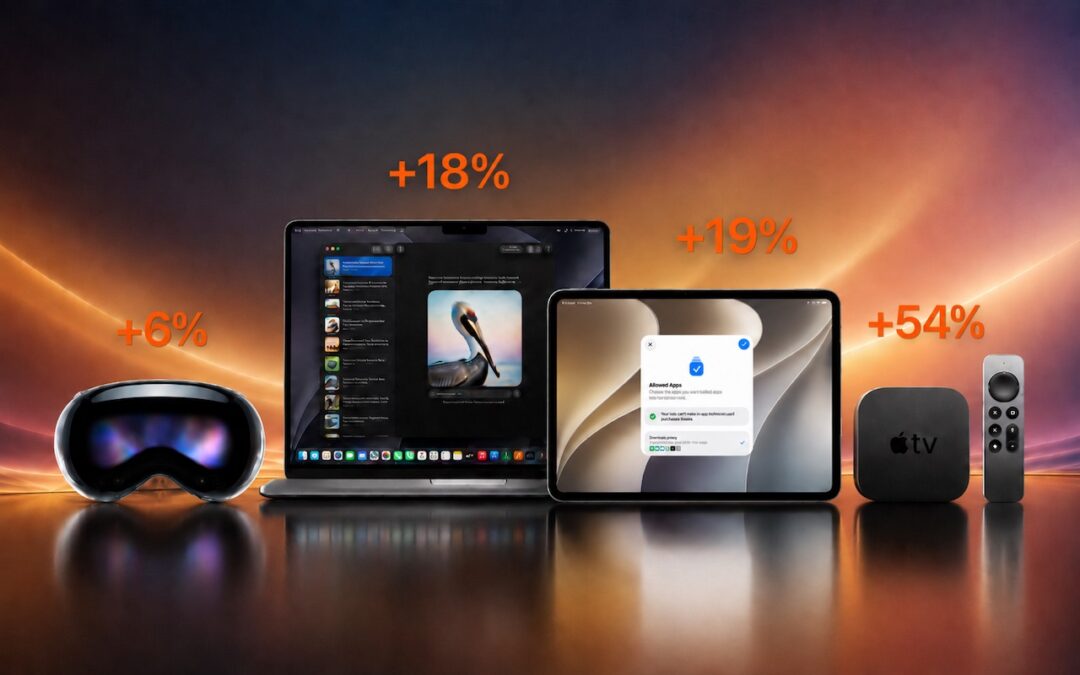
There’s no way to put a positive spin on this: Apple has raised prices across most of its product lineup, with increases averaging 20% on Macs, iPads, HomePods, the Apple TV, and even the Vision Pro. The iPhone and Apple Watch remain unaffected… for now.
The price hikes took effect on June 25. In a statement to the press, Apple blamed the AI industry’s insatiable appetite for memory chips, which has caused prices for memory and storage to increase up to sixfold:
The consumer electronics industry is facing an unprecedented challenge. The rapid expansion of AI data centers has created an extraordinary surge in demand for memory and storage. We have never seen a component price increase this much, this quickly. We have shielded our customers from these increases so far, but we have now reached a point where we need to begin raising prices on a number of products.
Apple’s price increases vary widely. The base model of the Apple TV 4K took the biggest percentage hit, jumping from $129 to $199—a 54% increase that’s particularly puzzling given the device has only 64 GB of storage and 4 GB of memory. It may be setting a new price floor for the next-generation Apple TV. At the other end of the percentage increase spectrum, the Vision Pro rose just 6%, from $3,499 to $3,699.
Mac and iPad Price Changes
The Mac lineup saw significant increases at both the low and high ends:
- MacBook Neo: $599 → $699 (+17%)
- MacBook Air (13-inch): $1,099 → $1,299 (+18%)
- MacBook Pro (14-inch base): $1,699 → $1,999 (+18%)
- Mac mini (M4): $599 → $799 (+33%)
- Mac Studio (M3 Ultra): $3,999 → $5,299 (+33%)
The $1,300 increase for the M3 Ultra model of the Mac Studio is the largest absolute dollar jump in the lineup—a reflection of just how much high-memory configurations are affected by the shortage.
iPads saw increases of 15–30%, with the base iPad hit hardest:
- iPad: $349 → $449 (+29%)
- iPad mini: $499 → $599 (+20%)
- iPad Air (11-inch): $599 → $749 (+25%)
- iPad Air (13-inch): $799 → $949 (+19%)
- iPad Pro (11-inch): $999 → $1,199 (+20%)
- iPad Pro (13-inch): $1,299 → $1,499 (+15%)
Base prices tell only part of the story. Memory and storage upgrade prices also jumped dramatically, with the 64 GB and 128 GB memory upgrades for M5 Max models of the MacBook Pro doubling in price.
Why iPhones and Apple Watches Were Spared
Apple left the prices for the iPhone, Apple Watch, AirPods, and Studio Display unchanged. The Studio Displays and AirPods likely escaped because they use minimal memory. The iPhone and Apple Watch are a different story—Apple may be willing to accept lower margins on its flagship products, betting that stable prices will drive enough additional sales to offset reduced profit per unit.
There’s also the timing factor. New iPhone and Apple Watch models are expected in September, and rumors suggest Apple will introduce only high-end (and higher margin) iPhone 18 models then, with more affordable models held until early 2027. That makes buying a current-generation iPhone now potentially the better deal—new models will almost certainly debut at higher prices.
Apple Isn’t Alone
The memory crisis has hit the entire consumer electronics industry. Microsoft raised prices on all Surface PCs. Samsung is raising prices on its Galaxy smartphones. Lenovo, HP, and Dell have all raised laptop prices.
The culprit is the industry’s rapid expansion into AI. Data centers are consuming memory and storage at a pace the industry wasn’t equipped to handle. Memory chip suppliers like Micron, Samsung, and SK Hynix have directed production toward AI chipmakers like Nvidia, who are willing to pay top dollar, leaving consumer electronics to compete for whatever remains. Industry observers expect the shortage to persist through at least 2027 due to the time required to build manufacturing capacity.
What Should You Do?
If you need a Mac or iPad, some retailers may not have updated prices yet, but that won’t last. Similarly, you could look for a refurbished Mac from Apple or a certified pre-owned Mac from retailers like OWC, but those prices have largely increased as well.
For the iPhone and Apple Watch, the calculus is unusual: normally, we’d encourage waiting for September’s new models, but this year, buying now at current prices may save you some money.
Ultimately, the only options may be to bite the bullet and pay current prices, buy a less-expensive model or configuration, or hold on to your existing hardware in the hopes that prices come back down.
(Featured image generated by Adam Engst with ChatGPT)
Social Media: Apple just raised Mac and iPad prices by 15–33%, blaming the AI industry’s hunger for memory and storage chips. The iPhone and Apple Watch were spared, but the next new models may be more expensive. Here’s what you need to know.
by Steve Sorbo | Mar 6, 2026 | Uncategorized
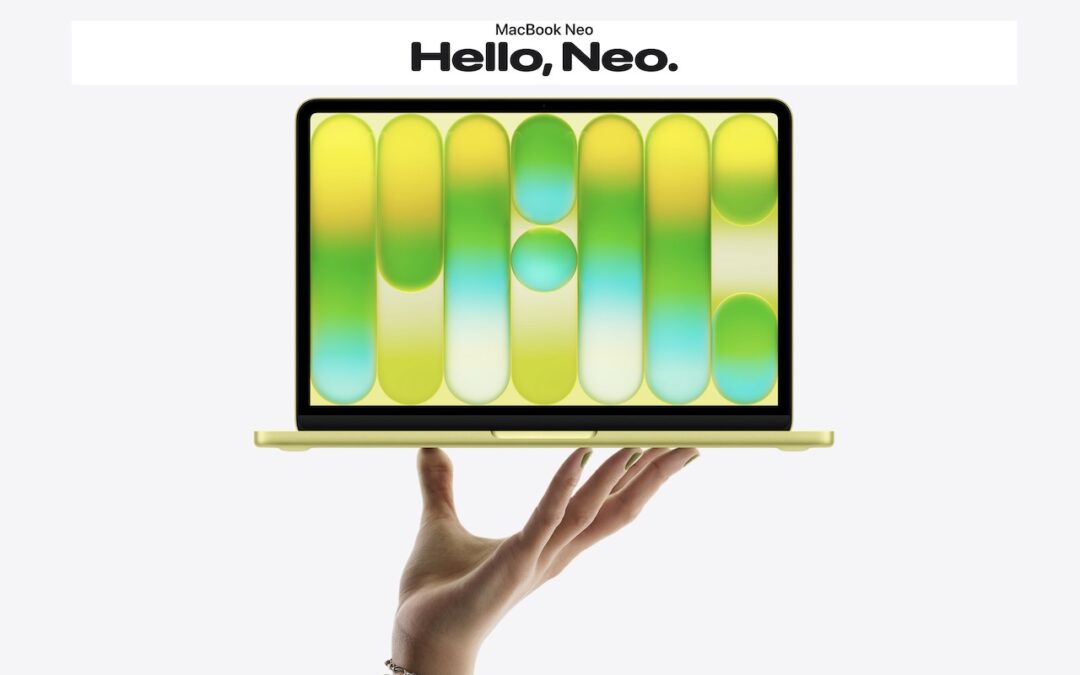
Apple has unveiled the MacBook Neo, a new entry-level laptop. With pricing starting at $599, a whopping $500 less than the MacBook Air, the MacBook Neo is positioned as an affordable computing option, particularly for families buying devices for K–12 students.

Despite its low price, the MacBook Neo is a Mac, so it works like any other modern Mac, complete with support for Apple Intelligence. A key question is how it compares to the MacBook Air, which Apple just updated with the M5 processor. Unsurprisingly, Apple made numerous compromises to hit the lower price point compared to the $1,099 13-inch MacBook Air. Those compromises may or may not make a difference for your intended usage.
Comparing the Specs
Let’s run through the MacBook Neo’s specs and see how it matches up to the MacBook Air:
- A18 Pro chip: One of the main places Apple cut costs is by relying on an A18 Pro chip with 6 CPU cores and 5 GPU cores, previously used in 2024’s iPhone 16 Pro models. This is the first time Apple has used an iPhone-class chip in a Mac. For everyday tasks in a single app, performance is nearly comparable to the MacBook Air’s M5, which has 10 CPU cores and 8 or 10 GPU cores. However, the MacBook Neo will be significantly slower for multi-threaded tasks such as video editing, code compilation, or heavy multitasking.
- 8 GB unified memory: Another notable difference is that the MacBook Neo has only 8 GB of unified memory, whereas the MacBook Air starts at 16 GB and can be configured with 24 GB or 32 GB. Being limited to 8 GB means the MacBook Neo will struggle with memory-intensive tasks or running many apps at once, but that isn’t likely to be an issue with everyday Web browsing, email, and messaging.
- 256 GB or 512 GB storage: The base MacBook Neo has only 256 GB of storage, which may fill up quickly with photos, videos, and games. For $100 more, you can get 512 GB. In comparison, the MacBook Air starts with 512 GB and can be configured with 1 TB, 2 TB, or 4 TB. You can always buy an external SSD to offload little-used data.
- 13.0-inch Liquid Retina display: The display is another significant difference. The MacBook Neo has a 13.0-inch display that shows slightly less content on screen than the MacBook Air’s 13.6-inch display—imagine losing about a half-inch of space vertically and horizontally. The MacBook Neo also lacks True Tone, which adjusts the display for ambient light conditions, and supports only sRGB color rather than Wide color (P3), so colors will be slightly less vibrant when viewing photos or videos, though this will be unnoticeable in most apps.
- 1080p FaceTime camera: The MacBook Neo’s webcam is several years behind the current 12-megapixel Center Stage camera that debuted with the M4 MacBook Air in 2025. It’s fine, but it is noticeably lower quality and lacks the Center Stage feature that keeps you in the frame as you move around. The MacBook Air’s camera also supports Desk View, which shows items underneath it, but that’s not a commonly used feature.
- Two USB-C ports: Connectivity is another place where the MacBook Neo makes compromises. It offers two USB-C ports, but only the left one supports USB 3 at 10 gigabits per second; the right one supports only USB 2 at 480 megabits per second. You can use the left one for an external drive or a single 4K display; the right one is primarily useful for a keyboard, mouse, or printer. The MacBook Air, in comparison, has two 40 gigabits-per-second Thunderbolt 4 ports and supports up to two 6K displays. The MacBook Neo has to use one of its ports to charge, since it lacks the MagSafe charging port found on the MacBook Air.

- Magic Keyboard: The $599 MacBook Neo has the same Magic Keyboard as the MacBook Air, but lacks keyboard backlighting for typing in the dark and Touch ID for authentication and Apple Pay support. Moving to the $699 model gets you Touch ID along with 512 GB of storage. All MacBook Air models have Touch ID, which is a convenience.
- Multi-Touch Trackpad: The MacBook Neo uses Apple’s much older Multi-Touch trackpad with a physical click mechanism rather than pressure sensors and haptic click simulation in the MacBook Air’s Force Touch trackpad. Few people will miss Force Touch features like pressing deeply on a file in the Finder to open it in Quick Look.
- Dual mics, dual speakers: For audio input and output, the MacBook Neo relies on a dual-mic array and a dual-speaker sound system. It will undoubtedly be fine, but it doesn’t match up to the MacBook Air’s three-mic array and four-speaker sound system. Both have 3.5 mm headphone jacks, or you can just use AirPods.
- Wi-Fi 6E and Bluetooth 6: Although the MacBook Air has slightly newer Wi-Fi 7 support (both have Bluetooth 6), no one in the MacBook Neo’s target audience will notice the difference with Wi-Fi 6E. Few people have Wi-Fi 7 base stations yet anyway.
- Battery life: Apple rates the MacBook Neo at 16 hours of video streaming and 11 hours of “wireless web” use, which qualifies it for “all-day” battery life. It’s respectable and probably sufficient for most situations, but well below the MacBook Air’s 18 and 15 hours on those benchmarks.
- Size and weight: In terms of raw numbers, the MacBook Neo is slightly narrower and shallower than the MacBook Air—about a quarter of an inch— but essentially the same thickness (about half an inch) and weight (2.7 pounds). You wouldn’t notice the difference.
Who Should Consider the MacBook Neo
Apple is clearly aiming the MacBook Neo at specific audiences. Anyone working with a lot of apps at once, doing photo or video editing, playing high-end games, or using a bunch of peripherals will be better suited with the additional processing power, memory, and connectivity of the MacBook Air. And those with even more intensive workflows will gravitate to the MacBook Pro line.
But the MacBook Neo is meant to be a small, cute, and inexpensive laptop. It’s entirely adequate for the kind of schoolwork that most K–12 students do: educational apps, online lessons, writing assignments, creating presentations, and conducting research. Its aluminum enclosure will withstand the rigors of daily student use, and the battery life should be sufficient for a full school day.
It would also be appropriate for budget-conscious adults with minimal computing needs. Many people do little more than browse the Web, check email, stream video, and use basic productivity apps. Those who spend most of their time in a handful of bundled Apple apps don’t need the performance of the MacBook Air.
However, we can’t recommend the MacBook Neo for most college students. Although it could handle basic word processing, Web browsing, and video streaming, college students can’t predict what they may need to do during their time in school, and it’s easy to imagine them needing to edit video, do data analysis, or work with 3D graphics. Plus, the limited port selection may be problematic for students needing to connect to external displays, storage drives, and other peripherals.
Although the same concerns apply to creative and business professionals, the MacBook Neo may be an economical travel laptop for someone who does most of their real work on a Mac mini or Mac Studio at the office. For keeping up with email, managing travel details on websites, and giving presentations, it should be more than sufficient and cheaper than most iPads with keyboards.
Pricing and Availability
The MacBook Neo costs $599 for the 256 GB model with Magic Keyboard (no Touch ID) or $699 for the 512 GB model with Touch ID. For the education market, pricing starts at $499. Both configurations are limited to 8 GB unified memory, and there are no other build-to-order options. It comes in four colors—silver, blush, citrus, and indigo—with color-coordinated keyboards.
(Featured image by Apple)
Social Media: Apple’s new $599 MacBook Neo offers an affordable entry into the Mac ecosystem, but its compromises mean it’s best suited for K–12 students and users with basic computing needs. Here’s how it compares to the MacBook Air.
by Steve Sorbo | Feb 6, 2026 | Uncategorized
When business slows down, it’s tempting to reduce IT spending. But that approach often backfires, creating bigger problems—and larger bills—down the road.
Beyond the productive work you accomplish on your Macs, your technology infrastructure enables you to communicate with clients, send invoices, manage schedules, and get paid. A downturn is precisely when you need those systems working reliably, not when you should neglect them.
The smart approach isn’t to stop spending on IT. It’s to protect the essentials while trimming optional expenses. Let’s look at what’s critical and what’s not.
The Hidden Costs of Cutting Back
When IT spending gets cut, three things typically go wrong:
- Small problems become big problems: Deferring maintenance—putting off updates, delaying hardware replacements, and ignoring broken workflows—doesn’t save money, it just pushes the expense to a later date, when it will almost certainly cost more. Beyond the fact that prices only increase over time, emergency troubleshooting, rush purchases, and downtime during business hours always cost more than planned maintenance.
- Security risks persist: Attackers don’t slow down just because revenues have. When budgets tighten, businesses often cut the very things that stave off disasters: software updates, security monitoring, and tested backups. One phishing attack that leads to wire fraud, one malware infection that steals passwords, or one unpatched vulnerability can wipe out years of “savings.”
- Productivity losses add up quietly: When Wi-Fi is flaky, Macs are slow, and file sharing doesn’t work reliably, employees waste time waiting and working around problems. During a downturn, you typically have fewer people doing more work, which is the worst time to tolerate daily friction.
What to Protect First
Spending on some aspects of IT is more important than others. These are the services that keep your business running smoothly and help you recover when something goes wrong:
- IT support and consulting: We’re biased, of course, but we’ve seen what happens when clients go out on their own and then come back. Proactive support catches issues early, keeps your systems running, and ensures you have someone to call who already knows your setup when things break.
- Software subscriptions: Adobe Creative Cloud, Microsoft 365, accounting software, and similar subscriptions often seem cuttable. But letting subscriptions lapse means missing security updates and losing access to files in proprietary formats. It also means employees will spend time learning new tools rather than being productive with familiar ones. Before canceling, understand what you’ll lose.
- Backup services: Cloud backup services like Backblaze or CrashPlan may seem unnecessary if you have local backups, but they protect against burglaries, fires, or burst pipes that can destroy local backups.
- Networking equipment: Dodgy Wi-Fi access points and aging routers waste everyone’s time. If your team can’t reliably stay connected, nothing else matters. If you need to replace networking gear, choose quality products that will last for years.
- Hardware replacement budget: It’s tempting to squeeze another year out of aging Macs, but don’t keep them going beyond the point where they stop receiving security updates. User productivity will also decline as older Macs slow down and experience more issues.
Where to Cut Without Breaking Things
Many businesses have unnecessary costs hiding in plain sight. Here’s where to look:
- Unused software licenses: Audit what you’re paying for versus what employees actually use. Many companies have up to 30% of seats unused across various apps. Reclaim those seats, and establish a simple rule: every subscription needs an owner and a regular review.
- Duplicate tools: It’s surprisingly common for businesses to pay for multiple apps that do the same thing—multiple chat platforms, overlapping backup utilities, and so on. Pick one and consolidate.
- Vendor contracts up for renewal: Before agreements for Internet service, phone plans, hosting, or equipment leases auto-renew, check whether you still need the same service level. Many vendors will negotiate rather than lose a customer, and some plans can be downgraded to match actual usage.
- Projects that don’t solve real problems: Pause any “nice to have” work that isn’t about reducing costs, lowering risk, or helping you serve customers better: things like migrating to a new CRM, redesigning a website that’s working fine, or building custom tools when off-the-shelf options exist. A downturn forces prioritization—use it.
The goal isn’t to spend more on IT—it’s to spend smarter. Protect the services that keep you running, cut the ones that don’t, and avoid creating tomorrow’s emergency by skipping today’s maintenance. If you’re unsure where to cut and where to hold the line, we’re happy to help you sort through the options. A short conversation now can prevent an expensive surprise later.
(Featured image by iStock.com/Userba011d64_201)
Social Media: Freezing IT spending during a slowdown often leads to higher costs later. Here’s practical, real-world advice on reducing costs while protecting the services that keep your business running.

Recent Comments