by Steve Sorbo | Feb 20, 2025 | Uncategorized
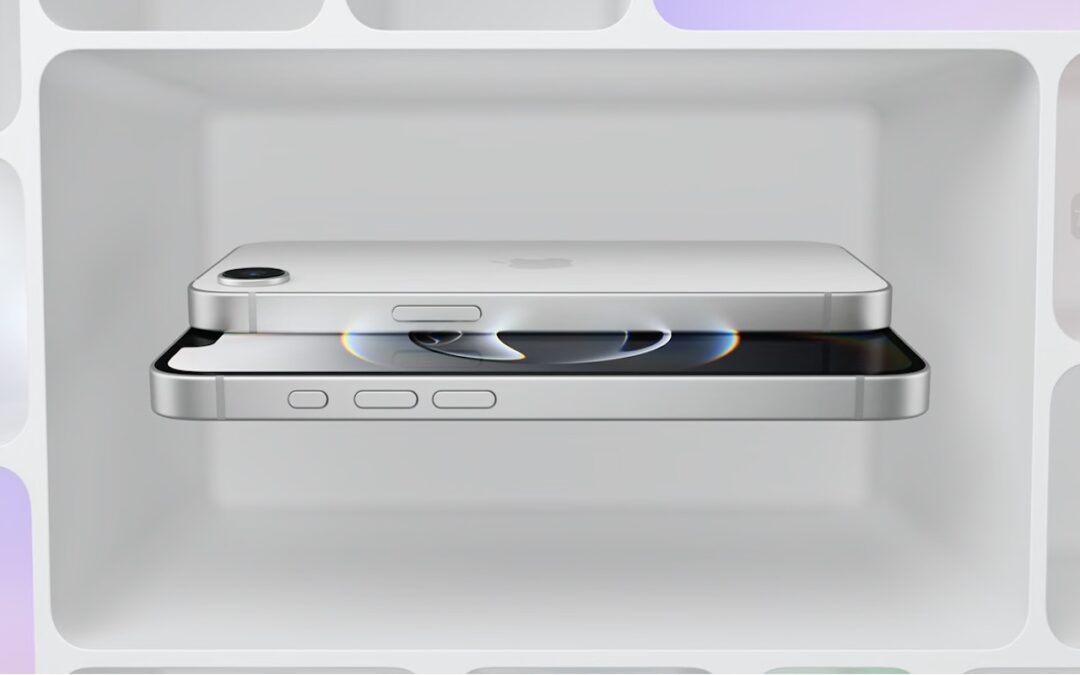
We know iPhones can get pricey—a top-of-the-line 1 TB iPhone 16 Pro Max costs $1,599, and that’s before AppleCare. To make the lineup more affordable, Apple has long sold the iPhone SE and kept previous years’ models available. Until February 18, you could buy a 64 GB iPhone SE for $429 or a 128 GB iPhone 14 for $599. Apple has now simplified the low-end choices by dropping those two older models in favor of the new iPhone 16e, which also starts at $599 for 128 GB of storage. It’s available in black or white.

Physically, the iPhone 16e is a cross between the iPhone 14 and the iPhone 16. Its case dimensions match those of the iPhone 14, and it has the older notch design instead of the iPhone 16’s Dynamic Island. However, the iPhone 16e incorporates the iPhone 16’s Action button and uses USB-C.
What the iPhone 16e doesn’t do is replace the third-generation iPhone SE in terms of price or size. At $599, it’s $170 more than the 64 GB iPhone SE and $120 more than the comparable 128 GB model. That’s a significant increase for the most affordable iPhone. Moreover, while the iPhone SE’s compact size made it popular among those with smaller hands and pockets, the iPhone 16e is significantly taller, wider, thicker, and heavier. Anyone moving from an iPhone SE will feel the difference.
In exchange for its higher price and larger size, the iPhone 16e delivers significantly more technology than the iPhone SE. It replaces Touch ID with Face ID, boasts a much larger, brighter screen, sports notably improved front and rear cameras, and is powered by an A18 chip that is 40% faster than the iPhone SE’s A15 Bionic and supports Apple Intelligence features. The Action button can be customized to perform nearly any function and will soon also provide access to Visual Intelligence. The iPhone 16e also offers satellite connectivity for Messages, Roadside Assistance, and Emergency SOS in areas without cellular coverage, and it can alert emergency services after a car crash. Finally, it’s even more water- and dust-resistant.

Screenshot
However, it’s also worth comparing the iPhone 16e to the iPhone 16, which starts at $799. That $200 premium gets you a lot, including a brighter screen, the Dynamic Island instead of a notch, a Camera Control button, a more advanced dual-camera system featuring a 12-megapixel Ultra Wide camera, a slightly more powerful A18 chip, 25-watt MagSafe charging with support for MagSafe accessories, and Ultra Wideband for precise Find My locating. Additionally, the iPhone 16’s camera system provides macro and spatial photography, as well as video features like cinematic mode, action mode, spatial videos, and macro recording. It may also deliver better optical image stabilization.
The only area where the iPhone 16e outperforms the iPhone 16 is in battery life. In Apple’s benchmarks, the iPhone 16e provides 12% to 18% longer runtime. The enhanced endurance is partly due to the power efficiency of Apple’s new C1 wireless communications chip. Apple also said it redesigned the internals of the iPhone 16e to accommodate a larger battery. The longer battery life may be especially welcome for those who expect to keep their iPhones for years.
Apple’s new C1 chip is a big deal, and the company wants to use it in future iPhone models to improve battery life and wireless performance. However, it’s worth keeping in mind that the C1 may suffer teething pains that Apple will address in software updates. Although Apple undoubtedly believes the C1 will work well, there’s no telling what will happen in the real world, and the company’s engineers may need to tweak it to address performance or reliability issues.
If you’re in the market for a new iPhone, what should you choose? The iPhone 16e is the best option for those on a tight budget since it’s the most affordable. (Last year’s iPhone 15, which is still available, starts at $699 and doesn’t support Apple Intelligence.) However, if you can afford that extra $200, the iPhone 16 is significantly more capable thanks to its superior rear camera system, Camera Control button, MagSafe compatibility, and Dynamic Island. For all the differences, check Apple’s iPhone comparison tool.
Finally, those seeking a smaller, lighter iPhone are out of luck. Their best hope lies with the rumored iPhone 17 Air, which is expected to arrive in September and could be thinner and lighter while maintaining the same height and width.
(Featured image by Apple)
Social Media: Apple has unveiled the iPhone 16e for $599 and discontinued the iPhone SE and iPhone 14. It’s much more capable than the models it replaces, but the iPhone 16 may be worth $200 more. Read our buying advice here:
by Steve Sorbo | Nov 1, 2024 | TCN Content
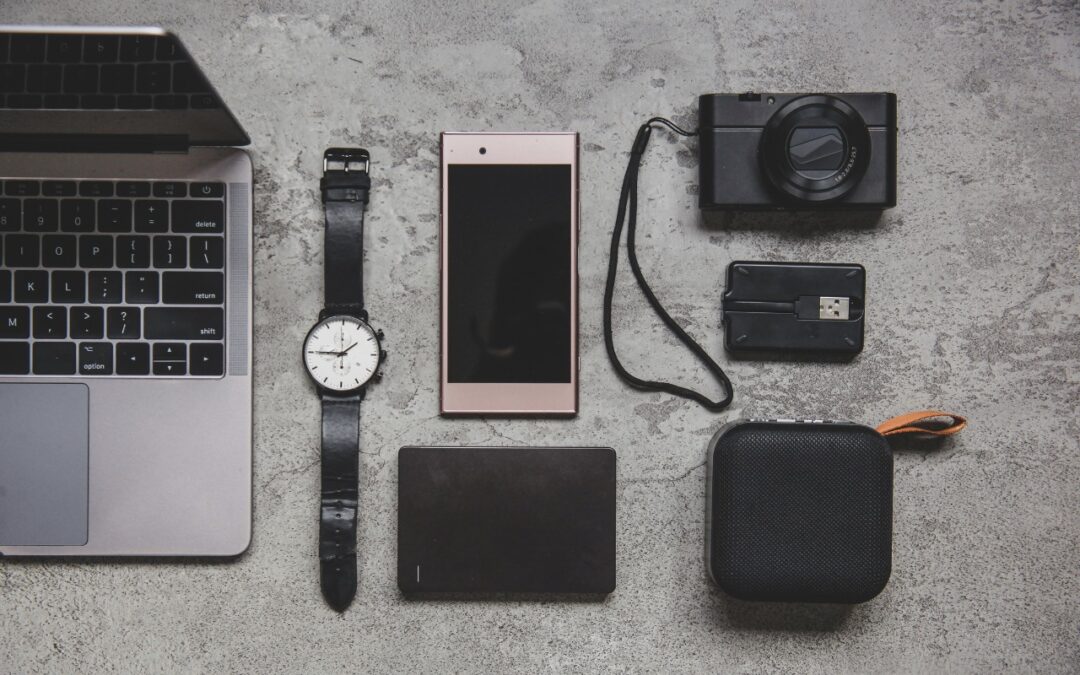
The holiday season is fast approaching, but we’re asked to recommend tech gear year-round. Here are some recommendations if you’re looking for a geeky gift for that special someone or need to supplement your tech toolkit with new or updated equipment. We don’t have personal experience with all these items, and there are undoubtedly many worthy alternatives—next time we chat, let us know about peripherals you’ve particularly liked. Where possible, we provide links to the manufacturer’s product page and to Amazon, where prices are sometimes lower.
External SSD
All Macs now use solid-state storage internally, and the pricing of external solid-state drives now makes them attractive for both additional storage and silent backups. SSDs also provide the ultimate performance for demanding workflows. The Samsung and Crucial SSDs are good general-purpose drives; look at the OWC Envoy Pro FX for high-performance tasks.
External Hard Disk Drive
For extensive backups and massive archives, you need a large external hard drive. They come in sizes up to 20 TB, and you can pay less than $20 per terabyte, although $20–$30 per terabyte is more common. It’s impossible to recommend specific models without knowing how much storage you need, but check out products from these manufacturers. Because hard drive prices fluctuate wildly, visit diskprices.com to identify current deals on new drives.
- Seagate: Seagate offers a collection of desktop and portable drives under its own name and the LaCie brand. Apart from some of the larger LaCie drives, most are aimed at consumers.
- Western Digital: Although some suggest that Western Digital drives are less reliable than Seagate’s, many people like the company’s wide variety of external hard drives.
- OWC: Other World Computing sells desktop and portable drives with an emphasis on RAID storage and professional uses. OWC also offers enclosures into which you can install bare drives purchased elsewhere, which can save money if you want to upgrade the drive over time.
External Displays
You can find a wide array of displays that work with a Mac, with Apple’s Studio Display leading the pack in both features and price. It’s a 5K display that provides unparalleled sharpness at its standard pixel-doubled resolution of 2560×1440. There’s little direct competition—LG offers the main 5K display that’s cheaper. If that still exceeds your budget, check out the 27-inch 4K displays from Alogic and Asus, which connect via USB-C. Dell and BenQ also make high-quality screens that connect using Thunderbolt. Note that these third-party displays don’t include webcams and generally feature subpar speakers compared to the Apple Studio Display, so building a comparable display would require a separate webcam (or an iPhone using Continuity Camera) and speakers.
Laptop Chargers
Although all MacBooks come with a power adapter, you might want additional chargers that stay plugged in wherever you work or take up less space in your laptop bag. Plus, Apple’s chargers, though high quality, are expensive and large. Consider these alternatives, keeping in mind that fast charging requires higher wattages than standard charging (70W for the M3 MacBook Air, 96W for the 14-inch MacBook Pro, and 140W for the 16-inch MacBook Pro). Extra ports are often welcome, and the OneAdaptr chargers work in 200 countries.
USB Hubs
There are lots of reasons to want a USB hub, and your needs will push you toward one product or another. We chose three options: the Anker 555 provides many different types of ports, the Anker 10-port hub provides numerous USB Type-A ports, and the Satechi 4-port hub offers USB-C ports.
Thunderbolt Docks
USB hubs are sufficient for many situations, but for more demanding setups, you’ll want a Thunderbolt dock that enables you to connect multiple external displays, hard drives, and Gigabit Ethernet, all while using high-wattage charging. The Sonnet and CalDigit docks boast the most ports in horizontal and vertical form factors, respectively, and the OWC dock trades some ports for portability.
Non-Apple Pointing Devices
Some people dislike trackpads, and others aren’t fond of Apple’s Magic Mouse. Luckily, there are plenty of alternatives. Although most Bluetooth mice will work with the Mac, additional software may be necessary to control tracking speed, extra buttons, or scroll wheels. Unusual pointing devices like the Kensington trackball and Contour RollerMouse may be appreciated by those suffering from hand or wrist pain from mousing.
Non-Apple Mac Keyboards
All Macs other than the Mac mini come with a keyboard, of course, but if you’re not a fan of the feel and minimal key travel of Apple’s keyboards, you might consider an alternative. You’ll need to decide if you want a full-size keyboard with a numeric keypad or a compact keyboard that takes up less space on your desk—there are also various sizes in between. Also, keyboards use different switches under their keycaps, so it may require experimentation to find what you like best. It’s worth buying a keyboard aimed at the Mac market to ensure it has or can be configured with the correct keys. The recommendations below should get you started; also check out other products from these manufacturers.
iPad Keyboards
Apple makes some of the best keyboards for the iPad, but they don’t work with all older models. The company makes the Magic Keyboard for the M4 iPad Pro models, the Magic Keyboard that works with the iPad Air and earlier iPad Pro models, and the Magic Keyboard Folio for the 10th-generation iPad. If you want to spend less, leave out the trackpad, or have a different case design, look into the alternatives.
Small Device External Batteries
Although Apple continuously works to improve battery life for the iPhone, iPad, Apple Watch, and AirPods, there will always be situations—travel, camping, non-stop use—where an external battery is a lifesaver. That’s especially true for older devices whose batteries don’t last as long as they used to.
MagSafe Chargers for the iPhone
Wired charging will always be faster and more efficient than wireless charging, but the convenience of MagSafe charging for the iPhone is compelling. As a bonus, MagSafe chargers can also power wireless charging cases for the AirPods Pro, and some, like the KUXIU X55, feature a puck for recharging the Apple Watch.
Let us leave you with a final piece of advice. For many of these product categories, you’ll find a dizzying array of alternatives at bargain basement prices from no-name Chinese manufacturers. While it’s impossible to make blanket assertions, we recommend sticking with reputable companies that have been serving Apple users for years. Even if their products are somewhat more expensive, they’re less likely to cut corners on manufacturing quality and safety and more likely to provide support in the event of problems.
(Featured image by iStock.com/Gatot Adriansyah)
Social Media: If you’re looking for a geeky gift for the Apple user on your holiday list or need to bolster your tech toolkit with new or updated gear, read our recommendations for a wide variety of peripherals.
by Steve Sorbo | Jul 1, 2024 | Uncategorized
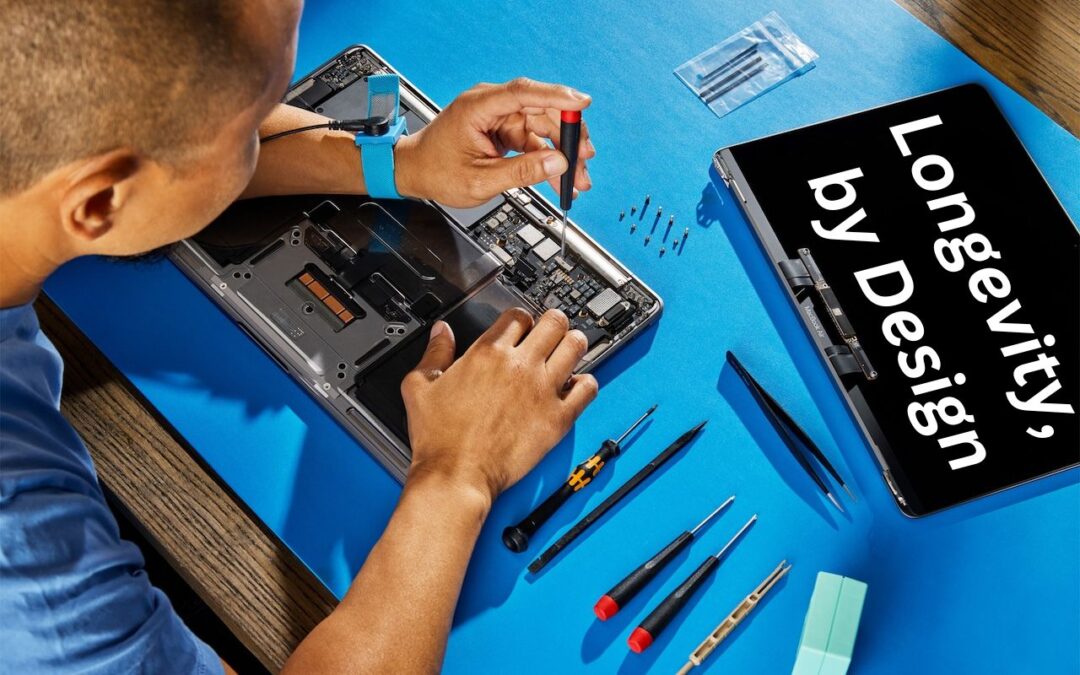
We Apple users tend to believe that our devices usually last longer—both physically and functionally—than Windows PCs and Android smartphones. For instance, Apple’s current operating systems work on nearly all Macs, iPhones, and iPads introduced in 2018 and later, albeit with some feature loss on the oldest devices. In a white paper entitled “Longevity, by Design,” Apple has now outlined how it works to increase product longevity through design and manufacturing, ongoing software support, and access to repair services. The white paper may be partially aimed at dissuading elected officials from passing Right to Repair legislation that could force unwanted design changes, but it still offers an illuminating look at how the company balances environmental impact, protecting customer privacy and safety, and enabling repair transparency. It’s worth a read if you’re interested in why Apple makes the design decisions it does.

(Featured image based on an original by Apple)
Social Media: Apple has published a white paper that offers an illuminating look at how the company works to increase device longevity while balancing environmental impact, protecting customer privacy and safety, and enabling transparency in repair.

by Steve Sorbo | Jul 1, 2024 | Uncategorized
Is your child heading off to college soon? They’ve undoubtedly been using a computer throughout high school, though now is a good time to look at getting them a new one, especially if theirs is old or unreliable, is shared with other family members, or was a school loaner. If you haven’t been keeping up with Apple’s Mac lineup, you might be unsure which model is the best choice.
First, check with the college before buying. Although this is less common than in the past, some college departments have specific requirements based on the software students use in their classes. Generally, these revolve around processor type, amount of RAM, and storage space. Current Macs should meet or exceed all those requirements. More problematic is if the college requires a Windows machine; if that’s the case, see if the requirement is based on specific Windows-only software needs or is just a general desire on the part of the IT staff to maintain a homogeneous support environment. Second, see if the college provides access to educational pricing—most will—to save a few hundred dollars off the prices listed below. Regardless, Apple often has a Back to School offer.
Aim for a laptop over a desktop Mac. Students lead nomadic lives and need to get work done in multiple places on campus, so having to head back to the dorm to use an iMac or Mac mini will be limiting. Plus, they often need to work during breaks, so they need a Mac that’s easy to bring home. A student accustomed to taking notes on an iPad with a keyboard and Apple Pencil might be able to use that in conjunction with a desktop Mac, but most students should get laptops.
In the past, deciding which model was best for a given student was more challenging, but Apple’s move to the speedy and power-efficient M-series chips makes the decision easier. We see three primary scenarios:
- Most students: Buy Apple’s MacBook Air, Apple’s lightest and least expensive laptop. Within the MacBook Air line, you have four choices. The least expensive is the 13-inch M1 MacBook Air from 2020, which costs $699 exclusively from Walmart. Get it only if budget is paramount. The three remaining choices begin with the 13-inch M2 MacBook Air from 2022, which Apple has kept in the lineup at $999. However, the longest-lasting choice is either the 13-inch or 15-inch M3 MacBook Air introduced in March 2024. The 13-inch model boasts a 13.6-inch screen, faster performance, 24 GB memory ceiling, and up to 2 TB of storage, starting at $1099. Those who want a larger screen should look at the 15-inch M3 MacBook Air, which starts at $1299 and is otherwise nearly identical.
- Better specs: If performance is more important than price—especially if your student will be working with processor-intensive tasks like video editing—look to the 14-inch MacBook Pro. It features a powerful M3, M3 Pro, or M3 Max chip, and the M3 Pro and M3 Max models can be configured with much more memory. Although its 14.2-inch screen is physically a little smaller than that of the 15-inch MacBook Air, it has a somewhat higher resolution. Its price starts at $1599 but goes up quickly with the M3 Pro and M3 Max chips. (There’s also a 16-inch MacBook Pro, which comes only in M3 Pro and M3 Max configurations and is more than most students need.)
- Windows compatibility: The only downside of the transition to Apple silicon is that it’s more challenging to run Windows using virtualization software like Parallels Desktop (half-price for students) or VMware Fusion (free for personal use). If Windows compatibility is a bonus but not essential, either of those with the Arm version of Windows 11 should work for most apps. However, if Windows compatibility is paramount, your choices are a used Intel-based MacBook Pro or—much as we hate to say it—a PC laptop that runs Windows natively.

Regardless of which laptop you decide on, you’ll have to pick a processor, amount of memory, and storage capacity:
- Processor: With the 13-inch M1 MacBook Air, you’re limited to the M1 chip with an 8-core CPU and 7-core GPU. The 13-inch M2 and M3 MacBook Air models always have an 8-core CPU, but you can pay $100 to upgrade from an 8-core GPU to a 10-core GPU. The 15-inch M3 MacBook Air always comes with a 10-core GPU. The performance difference isn’t likely noticeable with everyday apps, but for $100, it might be worth upgrading, just in case. The 14-inch MacBook Pro has two M3 Pro options and one M3 Max option; choose between them by weighing likely performance needs against increased costs.
- Memory: The 13-inch M1 MacBook Air only comes with 8 GB, which is acceptable for most college students. The M2 and M3 MacBook Air models and the M3 models of the 14-inch MacBook Pro offer 16 GB and 24 GB options. We usually recommend 16 GB to reduce the chance that memory becomes a performance-limiting factor, although 24 GB could be helpful in higher-performance situations. With the 14-inch MacBook Pro with M3 Pro or M3 Max, the amount of memory changes with the chip. The M3 Pro comes with 18 GB standard, but you can opt for 36 GB. With the M3 Max, 36 GB is standard, with options to upgrade to 48, 64, 96, or 128 GB.
- Storage: For all the MacBook Air models, 256 GB is the lowest storage level, and you can upgrade to 2 TB. The 14-inch MacBook Pro starts at 512 GB and offers upgrades up to a whopping 8 TB. Choose the amount of storage based on two considerations: budget (storage gets expensive fast) and anticipated usage (audio and especially video production can consume a lot of space, as can very large numbers of photos, but most other uses don’t). Remember that it’s easy to connect an external Thunderbolt SSD or hard drive to offload large files that don’t always have to be available. Large files can also be kept in cloud-based storage.
For most students, the best choice for a Mac likely to last across four years of college would be the 13-inch or 15-inch M3 MacBook Air with a 10-core GPU, 16 GB of memory, and 512 GB of storage. Although the 15-inch size has a larger screen, it’s also heavier and takes up more space in a backpack, so consider portability when making your final choice. Be sure to budget for AppleCare+, too; it’s almost guaranteed that some mishap will befall a student laptop, and AppleCare+ covers up to two incidents of accidental damage every year.
We recommend having conversations with your child to find out what they think they’ll need—and be sure to compare against the college’s recommendations—but if you have any questions after that, feel free to contact us.
(Featured image based on an original by Apple)
Social Media: Which Mac is best for a college student in 2024? Our short answer is either the 13-inch or 15-inch M3 MacBook Air, although students with significant processing needs (like audio or video editing) might consider the 14-inch MacBook Pro.

Recent Comments