
by Steve Sorbo | Mar 6, 2026 | Uncategorized
Apple kicked off March 2026 with a flurry of product updates, refreshing its budget iPhone, mid-range iPad, and entire MacBook lineup. The announcements bring real upgrades across the board, with improved chips, faster storage, and better connectivity.
iPhone 17e Adds MagSafe
The iPhone 17e replaces last year’s iPhone 16e and maintains its $599 entry-level price. The most notable addition is MagSafe support—something conspicuously absent from its predecessor. The iPhone 17e now supports 15-watt MagSafe and Qi wireless charging, opening it up to the full ecosystem of MagSafe accessories.

Apple doubled the base storage to 256 GB and dropped the 512 GB price from $899 to $799. The new model runs on the A19 chip—the same processor powering the iPhone 17, though with one fewer GPU core. Apple’s C1X cellular modem promises up to twice the speed of the iPhone 16e’s C1 chip while using 30% less energy.
Other improvements include Ceramic Shield 2 for better scratch resistance, the next-generation portrait mode with post-capture focus and depth adjustments, and a new pink color option alongside black and white.
For users seeking the most affordable iPhone, the iPhone 17e is a solid value at $599 and a real improvement over the iPhone 16e. However, for $200 more, the base iPhone 17 offers a larger, brighter 6.3-inch screen, Camera Control, an additional Ultra Wide camera, better battery life, Always-On display with ProMotion, and Dynamic Island—making it the better choice for users who can stretch their budget.
iPad Air Gets M4 and More Memory
The updated iPad Air brings the M4 chip to Apple’s mid-range tablet while maintaining prices at $599 for the 11-inch model and $799 for the 13-inch version.

The M4 features an 8-core CPU and 9-core GPU, delivering up to 30% faster performance than the M3 version and up to 2.3x faster than M1 models. More significant is the increase in unified memory—the iPad Air now comes with 12 GB of RAM, 50% more than the previous generation’s 8 GB, and memory bandwidth has increased to 120 GB/s. These improvements particularly benefit AI workloads and demanding apps like Final Cut Pro and Pixelmator Pro.
Connectivity receives an upgrade with Apple’s N1 and C1X chips. The N1 wireless networking chip enables Wi-Fi 7 and Bluetooth 6, while the C1X cellular modem in the Wi-Fi + Cellular models delivers up to 50% faster data performance with 30% lower energy consumption than the M3 model’s modem.
Starting storage remains at 128 GB, with options up to 1 TB. The iPad Air continues to be available in two sizes and four colors: blue, purple, starlight, and space gray.
The M4 iPad Air makes sense for users upgrading from pre-M1 iPads or anyone wanting a capable tablet without the premium price of the M5-based iPad Pro models, which start at $999 and $1,299.
MacBook Air Gains M5 and Doubles Storage
The MacBook Air receives the M5 chip along with doubled starting storage of 512 GB. The 13-inch model now starts at $1,099, and the 15-inch model at $1,299. Although those prices are the same as the previous generation’s 512 GB configurations, they’re $100 higher than the previous entry-level pricing to create a little more room between the MacBook Air and Apple’s new entry-level $599 MacBook Neo laptop.

The M5 chip features a 10-core CPU and 8-core or 10-core GPU, delivering 1.5x to 4x improvements over the M4 depending on the task. Memory bandwidth increases to 153 GB/s, enabling smoother multitasking and faster app launches. Storage configurations now include a 4 TB option for the first time in a MacBook Air, and the new SSDs deliver up to 2x the read/write performance of the M4 generation.
Apple has integrated its N1 wireless chip for Wi-Fi 7 and Bluetooth 6. The MacBook Air continues to feature the 12-megapixel Center Stage camera, two Thunderbolt 4 ports, MagSafe 3 charging, and up to 18 hours of battery life. It’s available in sky blue, midnight, starlight, and silver.
The MacBook Air remains compelling for most laptop users. If you configure it comparably to the M5 14-inch MacBook Pro, it’s $400 cheaper, slightly smaller, and 26% lighter. Anyone limping along with an Intel-based Mac laptop will experience dramatic improvements if they upgrade to the M5 MacBook Air, and it’s also well worth considering an upgrade if an older M1 or M2 MacBook Air has started to feel slow.
MacBook Pro Introduces M5 Pro and M5 Max
The MacBook Pro gains significant performance upgrades with the new M5 Pro and M5 Max chips, along with doubled starting storage. For models with the M5 Pro chip, pricing starts at $2,199 for the 14-inch MacBook Pro and $2,699 for the 16-inch MacBook Pro. The M5 Max models start at $3,599 (14-inch) and $3,899 (16-inch).

The M5 Pro offers either a 15-core or 18-core CPU and up to a 20-core GPU, now supporting up to 64 GB of unified memory with 307 GB/s bandwidth (up from the M4 Pro’s 48 GB ceiling). The M5 Max comes with an 18-core CPU, up to a 40-core GPU, and supports up to 128 GB of unified memory with 614 GB/s bandwidth. Compared with the previous M4 Pro and M4 Max, Apple claims up to 30% faster multithreaded CPU performance for the M5 Pro and 15% faster for the M5 Max. Both chips also deliver 4x faster peak GPU performance, in part thanks to new Neural Accelerators built into every GPU core. Ray tracing performance improves by up to 35% compared to the previous generation of chips.
As with the other product refreshes, Apple doubled starting storage: M5 Pro models now start at 1 TB, while M5 Max models start at 2 TB. The new SSDs also deliver up to 2x faster read/write performance. Like the MacBook Air, all models gain the N1 wireless chip for Wi-Fi 7 and Bluetooth 6.
Otherwise, the MacBook Pro retains its premium hardware from the previous generation, including the Liquid Retina XDR display, three Thunderbolt 5 ports, HDMI with 8K support, SDXC card slot, 12-megapixel Center Stage camera, and MagSafe 3 charging. Battery life remains up to 24 hours, and both sizes continue to be available in space black and silver.
For professionals pushing boundaries in motion design, visual effects, video editing, machine learning, and data-intensive workflows, these new MacBook Pro models offer real-world improvements that may justify an immediate upgrade from recent generations. Others with M3 or M4 Pro/Max machines may not see enough benefit to justify upgrading, but anyone on older hardware will appreciate the leap.
(Featured image by Apple)
Social Media: Apple’s March 2026 refresh brings MagSafe to the iPhone 17e, the M4 chip to the iPad Air, the M5 to the MacBook Air, and the new M5 Pro and M5 Max to the MacBook Pro—plus doubled storage on most models. Here’s what’s new and who should upgrade.
by Steve Sorbo | Mar 6, 2026 | Uncategorized
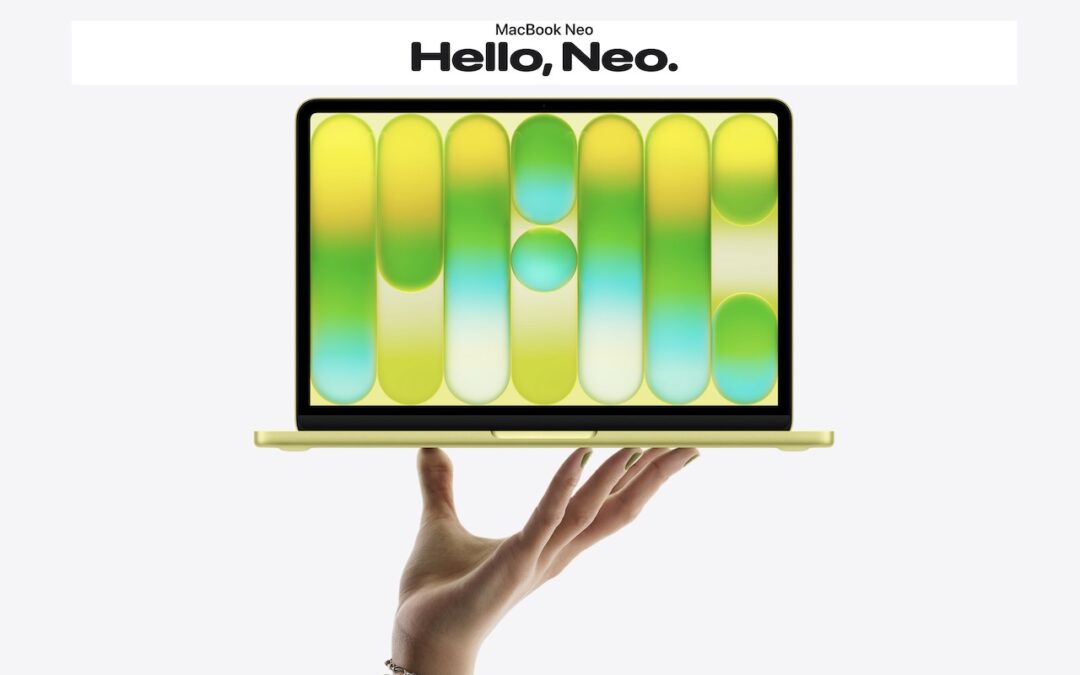
Apple has unveiled the MacBook Neo, a new entry-level laptop. With pricing starting at $599, a whopping $500 less than the MacBook Air, the MacBook Neo is positioned as an affordable computing option, particularly for families buying devices for K–12 students.

Despite its low price, the MacBook Neo is a Mac, so it works like any other modern Mac, complete with support for Apple Intelligence. A key question is how it compares to the MacBook Air, which Apple just updated with the M5 processor. Unsurprisingly, Apple made numerous compromises to hit the lower price point compared to the $1,099 13-inch MacBook Air. Those compromises may or may not make a difference for your intended usage.
Comparing the Specs
Let’s run through the MacBook Neo’s specs and see how it matches up to the MacBook Air:
- A18 Pro chip: One of the main places Apple cut costs is by relying on an A18 Pro chip with 6 CPU cores and 5 GPU cores, previously used in 2024’s iPhone 16 Pro models. This is the first time Apple has used an iPhone-class chip in a Mac. For everyday tasks in a single app, performance is nearly comparable to the MacBook Air’s M5, which has 10 CPU cores and 8 or 10 GPU cores. However, the MacBook Neo will be significantly slower for multi-threaded tasks such as video editing, code compilation, or heavy multitasking.
- 8 GB unified memory: Another notable difference is that the MacBook Neo has only 8 GB of unified memory, whereas the MacBook Air starts at 16 GB and can be configured with 24 GB or 32 GB. Being limited to 8 GB means the MacBook Neo will struggle with memory-intensive tasks or running many apps at once, but that isn’t likely to be an issue with everyday Web browsing, email, and messaging.
- 256 GB or 512 GB storage: The base MacBook Neo has only 256 GB of storage, which may fill up quickly with photos, videos, and games. For $100 more, you can get 512 GB. In comparison, the MacBook Air starts with 512 GB and can be configured with 1 TB, 2 TB, or 4 TB. You can always buy an external SSD to offload little-used data.
- 13.0-inch Liquid Retina display: The display is another significant difference. The MacBook Neo has a 13.0-inch display that shows slightly less content on screen than the MacBook Air’s 13.6-inch display—imagine losing about a half-inch of space vertically and horizontally. The MacBook Neo also lacks True Tone, which adjusts the display for ambient light conditions, and supports only sRGB color rather than Wide color (P3), so colors will be slightly less vibrant when viewing photos or videos, though this will be unnoticeable in most apps.
- 1080p FaceTime camera: The MacBook Neo’s webcam is several years behind the current 12-megapixel Center Stage camera that debuted with the M4 MacBook Air in 2025. It’s fine, but it is noticeably lower quality and lacks the Center Stage feature that keeps you in the frame as you move around. The MacBook Air’s camera also supports Desk View, which shows items underneath it, but that’s not a commonly used feature.
- Two USB-C ports: Connectivity is another place where the MacBook Neo makes compromises. It offers two USB-C ports, but only the left one supports USB 3 at 10 gigabits per second; the right one supports only USB 2 at 480 megabits per second. You can use the left one for an external drive or a single 4K display; the right one is primarily useful for a keyboard, mouse, or printer. The MacBook Air, in comparison, has two 40 gigabits-per-second Thunderbolt 4 ports and supports up to two 6K displays. The MacBook Neo has to use one of its ports to charge, since it lacks the MagSafe charging port found on the MacBook Air.

- Magic Keyboard: The $599 MacBook Neo has the same Magic Keyboard as the MacBook Air, but lacks keyboard backlighting for typing in the dark and Touch ID for authentication and Apple Pay support. Moving to the $699 model gets you Touch ID along with 512 GB of storage. All MacBook Air models have Touch ID, which is a convenience.
- Multi-Touch Trackpad: The MacBook Neo uses Apple’s much older Multi-Touch trackpad with a physical click mechanism rather than pressure sensors and haptic click simulation in the MacBook Air’s Force Touch trackpad. Few people will miss Force Touch features like pressing deeply on a file in the Finder to open it in Quick Look.
- Dual mics, dual speakers: For audio input and output, the MacBook Neo relies on a dual-mic array and a dual-speaker sound system. It will undoubtedly be fine, but it doesn’t match up to the MacBook Air’s three-mic array and four-speaker sound system. Both have 3.5 mm headphone jacks, or you can just use AirPods.
- Wi-Fi 6E and Bluetooth 6: Although the MacBook Air has slightly newer Wi-Fi 7 support (both have Bluetooth 6), no one in the MacBook Neo’s target audience will notice the difference with Wi-Fi 6E. Few people have Wi-Fi 7 base stations yet anyway.
- Battery life: Apple rates the MacBook Neo at 16 hours of video streaming and 11 hours of “wireless web” use, which qualifies it for “all-day” battery life. It’s respectable and probably sufficient for most situations, but well below the MacBook Air’s 18 and 15 hours on those benchmarks.
- Size and weight: In terms of raw numbers, the MacBook Neo is slightly narrower and shallower than the MacBook Air—about a quarter of an inch— but essentially the same thickness (about half an inch) and weight (2.7 pounds). You wouldn’t notice the difference.
Who Should Consider the MacBook Neo
Apple is clearly aiming the MacBook Neo at specific audiences. Anyone working with a lot of apps at once, doing photo or video editing, playing high-end games, or using a bunch of peripherals will be better suited with the additional processing power, memory, and connectivity of the MacBook Air. And those with even more intensive workflows will gravitate to the MacBook Pro line.
But the MacBook Neo is meant to be a small, cute, and inexpensive laptop. It’s entirely adequate for the kind of schoolwork that most K–12 students do: educational apps, online lessons, writing assignments, creating presentations, and conducting research. Its aluminum enclosure will withstand the rigors of daily student use, and the battery life should be sufficient for a full school day.
It would also be appropriate for budget-conscious adults with minimal computing needs. Many people do little more than browse the Web, check email, stream video, and use basic productivity apps. Those who spend most of their time in a handful of bundled Apple apps don’t need the performance of the MacBook Air.
However, we can’t recommend the MacBook Neo for most college students. Although it could handle basic word processing, Web browsing, and video streaming, college students can’t predict what they may need to do during their time in school, and it’s easy to imagine them needing to edit video, do data analysis, or work with 3D graphics. Plus, the limited port selection may be problematic for students needing to connect to external displays, storage drives, and other peripherals.
Although the same concerns apply to creative and business professionals, the MacBook Neo may be an economical travel laptop for someone who does most of their real work on a Mac mini or Mac Studio at the office. For keeping up with email, managing travel details on websites, and giving presentations, it should be more than sufficient and cheaper than most iPads with keyboards.
Pricing and Availability
The MacBook Neo costs $599 for the 256 GB model with Magic Keyboard (no Touch ID) or $699 for the 512 GB model with Touch ID. For the education market, pricing starts at $499. Both configurations are limited to 8 GB unified memory, and there are no other build-to-order options. It comes in four colors—silver, blush, citrus, and indigo—with color-coordinated keyboards.
(Featured image by Apple)
Social Media: Apple’s new $599 MacBook Neo offers an affordable entry into the Mac ecosystem, but its compromises mean it’s best suited for K–12 students and users with basic computing needs. Here’s how it compares to the MacBook Air.

by Steve Sorbo | Oct 16, 2025 | Uncategorized
Apple’s fall harvest has yielded the new M5 chip, leading to updates for the entry-level 14-inch MacBook Pro, the iPad Pro lineup, and the Vision Pro. All three benefit from the M5’s significant performance boosts, but remain mostly unchanged otherwise. Availability starts on October 22. We anticipate that Apple will release M5 versions of the iMac, Mac mini, and MacBook Air in the coming months, along with M5 Pro and M5 Max chips in early to mid-2026.
With the M5 chip, Apple continues to focus on boosting AI performance. Its new 10-core GPU promises up to four times the peak GPU compute performance of the previous M4 chip—an impressive leap. The GPU also provides enhanced graphics capabilities and ray tracing that deliver results up to 45% faster than the M4. The 10-core CPU, with six efficiency cores and four performance cores, provides up to 15% faster multithreaded performance than the M4, a more typical performance increase between chip generations. Additionally, Apple increased unified memory bandwidth from 120 GBps to 153 GBps, which speeds up many different operations.
14-inch MacBook Pro
The most mainstream of the updated devices is the entry-level 14-inch MacBook Pro, which benefits from the improved performance of the M5 chip. Apple claims improvements in various tasks ranging from 20% to 80% compared to the M4 model it replaces. Even more compelling is the comparison with the M1-based 13-inch MacBook Pro, where the M5 MacBook Pro is 2 to 7 times faster.

Apple also increased SSD performance by up to 2x, which we suspect should give the new M5 model read/write speeds comparable to those of the M4 Pro and M4 Max models of the MacBook Pro.
The final update is that the M5 MacBook Pro can now be equipped with 4 TB of storage, a $1,200 option previously reserved for the M4 Pro and M4 Max models. They remain for sale, and although Apple didn’t share any benchmarks, we suspect they will continue to outperform the M5 model at most tasks.
Otherwise, the new M5 MacBook Pro continues to feature three Thunderbolt 4 ports, an HDMI port, an SDXC card slot, and MagSafe 3 charging. Its 14.2-inch Liquid Retina XDR display with ProMotion remains unchanged, as does the physical design. Pricing is also the same, starting at $1,599 for 16 GB of unified memory and 512 GB of storage.
For now, the M5 model of the 14-inch MacBook Pro is notably more capable than the M4 models of the MacBook Air, which was less true of the M4 MacBook Pro it replaces. That said, you won’t go wrong with the more affordable MacBook Air or the higher performance of the M4 Pro and M4 Max models of the MacBook Pro.
11-inch and 13-inch iPad Pro
The M5 models of the 11-inch and 13-inch iPad Pro deliver similar performance improvements over the previous M4 models, with Apple highlighting up to 2x faster AI image generation and up to 2.3x faster AI video upscaling. The enhancements are even more pronounced when compared to the M1 iPad Pro models, where benchmarked tasks are 2x to 7x faster. Additionally, the M5 iPad Pro models feature up to 2x faster storage, although they are limited to 2 TB.

Apple didn’t stop there. The 256 GB and 512 GB configurations have 50% more unified memory, increasing from 8 GB to 12 GB, while the 1 TB and 2 TB configurations have 16 GB. The new models also feature enhanced external display support, enabling them to drive external 4K displays at up to 120 Hz with Adaptive Sync, which reduces latency and enhances gaming performance. Lastly, Apple introduced fast charging that provides 50% power in 30 minutes with an appropriate charger.
Two other notable changes probably won’t be evident to most users. The M5 models of the iPad Pro utilize Apple’s new C1X cellular modem and N1 wireless network chip, which enable Wi-Fi 7, Bluetooth 6, and Thread networking. Apple claims faster cellular and Wi-Fi performance, along with lower power consumption, but official battery life estimates remain unchanged.
Otherwise, the new iPad Pro models remain nearly identical to their predecessors. They retain the same Ultra Retina XDR display, cameras, ports, and accessory ecosystem (Magic Keyboard and Apple Pencil). The case and industrial design are the same.
Pricing for the 11-inch iPad Pro starts at $999 for Wi-Fi models and $1,199 for Wi-Fi + Cellular models. The 13-inch iPad Pro starts at $1,299 with Wi-Fi and $1,499 for Wi-Fi and cellular connectivity.
Creative professionals already using a previous generation of the iPad Pro may consider upgrading, but for most people, we recommend either the low-cost iPad or the mid-range iPad Air.
Vision Pro
In the first hardware update to its Vision Pro “spatial computer,” Apple replaced the M2 chip with the more powerful M5. This upgrade boosts performance, allowing the Vision Pro to render 10% more pixels, resulting in a sharper image with crisper text and more detailed visuals. The M5 also increases the Vision Pro’s maximum refresh rate to 120 Hz from 100 Hz, helping to reduce motion blur. Battery life receives a slight boost, providing an additional 30 minutes of general use (up to 2.5 hours) and video playback (up to 3 hours). The only other change is a new Dual Knit Band, which Apple says is more comfortable.

Apart from the M5 and Dual Knit Band, the Vision Pro remains unchanged in form, function, and philosophy. Nor did Apple lower the Vision Pro’s price, which is still $3,499. Although these changes undoubtedly improve the Vision Pro experience a bit, they won’t change anyone’s purchasing decision.
(Featured image by Apple)
Social Media: Apple has brought its new M5 chip to the MacBook Pro, iPad Pro, and Vision Pro, boosting performance but changing little else. The updates maintain existing designs and price points.
by Steve Sorbo | Sep 10, 2025 | Uncategorized
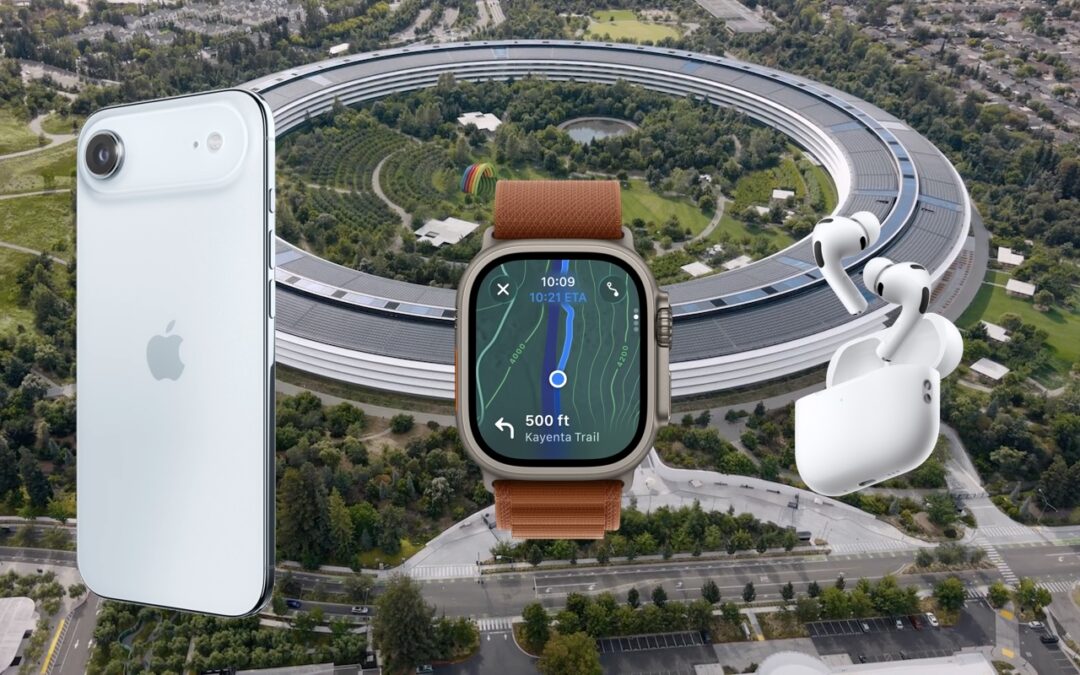
In the tech world, September brings the fruits of Apple’s harvest: new iPhones, Apple Watches, and AirPods. At its recent Awe Dropping event, Apple introduced the new iPhone 17 lineup, the ultra-thin iPhone Air, the Apple Watch SE 3, Apple Watch Series 11, Apple Watch Ultra 3, and the AirPods Pro 3.
These are updates to mature product lines, so the changes from last year’s versions may not be enough to persuade you to upgrade. However, this year’s releases are attractive for anyone wanting to replace an old iPhone, Apple Watch, or set of AirPods that is showing its age or suffering from weak battery life. Pre-ordered products will be delivered and become available in stores on September 19.
After the announcement, Apple revealed on its website that all its next-generation operating systems—macOS 26 Tahoe, iOS 26, iPadOS 26, watchOS 26, and visionOS 26, and likely tvOS 26 and HomePod Software 26—will ship on September 15. Wait a week or two before upgrading essential devices to avoid any last-minute bugs, and hold off on Tahoe for a few months or until you’re confident your necessary Mac apps are compatible. Regardless of when you upgrade, make a backup right before, in case an unexpected problem forces you to erase and restore.
Let’s look at the new products.
iPhone Air and iPhone 17 Lineup
As with the last few years, the best bang for your iPhone buck comes from the new iPhone 17, which gains even more features previously exclusive to the Pro models and is available in black, white, mist blue, sage, and lavender. Apple replaced the Plus model with the ultra-thin iPhone Air, available in space black, cloud white, light gold, and sky blue. Lastly, the company enhanced the iPhone 17 Pro and iPhone 17 Pro Max to make them even more compelling to professional photographers and videographers. These models come in three anodized aluminum colors: silver, deep blue, and cosmic orange.
Notable features shared by all the new models include:
- Center Stage front camera: Powered by a new square sensor, the new selfie camera automatically reframes shots to keep multiple people in view without rotating the phone. The 18-megapixel sensor also promises higher-resolution photos and stabilized video. You can even now record video using both the front and rear cameras at the same time.
- A19 and A19 Pro: The latest generation of Apple silicon boosts CPU and GPU performance, with the A19 Pro adding neural accelerators to each GPU core for faster AI processing. The A19 powers the iPhone 17 and iPhone Air; the iPhone 17 Pro models rely on the A19 Pro.
- Enhanced scratch and crack resistance: Apple made much of its new Ceramic Shield 2 coating, which reportedly provides three times better scratch resistance for the front glass. The iPhone Air and iPhone 17 Pro models also feature Ceramic Shield 2 for the back glass, where Apple says it’s four times more resistant to cracks.
- Better battery life: All the iPhone 17 models have improved battery life compared to last year’s models, and although the iPhone Air has less internal space for the battery, it still offers the same battery life as last year’s iPhone 16 Plus.
- Brighter displays: All models now support 3000 nits of brightness outdoors, making them easier to read in sunlight.
- More storage: 256 GB has become the new standard in storage levels. You can upgrade to 512 GB on the iPhone 17, choose 512 GB or 1 TB on the iPhone Air and iPhone 17 Pro models, and go up to 2 TB on the iPhone 17 Pro Max.
- N1 wireless chip: All new models now rely on an Apple-designed N1 chip that provides Wi-Fi 7, Bluetooth 6, and Thread networking. You won’t notice this—wireless should just work.
More specifically, the iPhone 17 gains a new 6.3-inch display, up from the 6.1-inch screen in the iPhone 16. The display also supports ProMotion adaptive refresh rates up to 120 Hz and includes always-on functionality. Additionally, the display can scale its refresh rate down to 1 Hz to preserve battery life. The iPhone 17’s Dual Fusion camera system is also a significant upgrade from the previous generation, moving from a 12-megapixel Ultra Wide camera to a 48-megapixel Ultra Wide camera that delivers more detail in landscapes and macro photos.

Thanks to a titanium frame, the iPhone Air measures just 5.6 mm thick, making it the thinnest iPhone ever. However, its 6.5-inch screen places it between the iPhone 17 and 17 Pro (6.3-inch) and the iPhone 17 Pro Max (6.9-inch) — it’s slim but not small. To make space for the internal components and battery, Apple replaced the traditional asymmetrical camera bump with a wider “plateau” that runs across the entire back of the iPhone Air. The biggest compromise in the iPhone Air, which may drive many potential buyers toward the iPhone 17 or 17 Pro, is the single 48-megapixel Fusion camera system, which lacks the Ultra Wide camera found in other models or the Telephoto camera in the iPhone 17 Pro. Its photos are likely fine, but they won’t match the quality of those taken with other iPhones if you want to zoom in or out. Lastly, the iPhone Air uses Apple’s new C1X cellular modem chip, which improves upon the C1 introduced in the iPhone 16e. We still don’t know how it compares to the Qualcomm chips in the iPhone 17 models.

The iPhone 17 Pro and Pro Max trade last year’s titanium frames for aluminum that provides better thermal conductivity with only a 7-gram weight gain. Heat dissipation was a focus this year, with Apple also adding a vapor chamber—that’s right, there’s water inside. All three of the iPhone 17 Pro’s Fusion cameras are now 48 megapixels, up from 12 megapixels for the Telephoto camera in last year’s models. You can now enjoy 4x optical-quality zoom with 48-megapixel shots and 8x optical-quality zoom with 12-megapixel images. Professionals will also appreciate ProRes RAW capture and Genlock synchronization support.

In terms of prices, the iPhone 17 starts at $799, the iPhone Air at $999, the iPhone 17 Pro at $1099, and the iPhone 17 Pro Max at $1199. If those prices are too steep for your budget, the iPhone 16e ($599), iPhone 16 ($699), and iPhone 16 Plus ($799) remain for sale.

Should you upgrade? Probably not from one of last year’s models or an iPhone 15 Pro, all of which support Apple Intelligence. With an older iPhone, the decision largely depends on whether you want a larger screen and a better camera (all three have the helpful Camera Control that debuted last year). Also consider how weak your current battery is—that’s often what prompts people to upgrade. You can’t go wrong with an iPhone 17, and even though the iPhone 17 Pro is pricey, you’ll get the best cameras and top performance. Even if it sacrifices some photo quality, the iPhone Air certainly makes a design statement.
Apple Watch SE 3, Apple Watch Series 11, Apple Watch Ultra 3
Last year saw only the release of the Apple Watch Series 10, featuring a thinner case and larger screen, while this year brings new models across all three Apple Watch lines: the Apple Watch SE 3, the Apple Watch Series 11, and the Apple Watch Ultra 3.
- Apple Watch SE 3: The new entry-level model improves on its predecessor with a welcome always-on display. Its new S10 chip enables features like double-tap and wrist flick gestures, along with on-device Siri processing. It provides sleep apnea notifications, and the addition of temperature sensing allows cycle tracking. Fast charging and the ability to play media through the built-in speaker round out the major upgrades, along with 5G cellular capabilities for better connectivity. It’s available in midnight and starlight colors, starting at $249 (cellular adds $50). The Apple Watch SE 3 is a solid option with many fewer compromises than in the past, though it still lacks the ECG app, blood oxygen monitoring, and hypertension detection. It also has a smaller, less-bright display and a shorter battery life (18 versus 24 hours).

- Apple Watch Series 11: There are few changes from last year’s Series 10. A new ceramic coating improves scratch resistance, and 5G connectivity for cellular-enabled models may provide better wireless performance with less battery drain. The battery life is now rated at up to 24 hours. Apple also touted the new hypertension detection and sleep score, but both are features of watchOS 26 and will be available on some earlier models as well. The Apple Watch Series 11 is available in aluminum (jet black, silver, rose gold, and space gray) and titanium (natural, gold, and slate) finishes starting at $399 (cellular adds $100).

- Apple Watch Ultra 3: The most technologically impressive change is support for Messages, Find My, and Emergency SOS via satellite, much like the iPhone 14 and later. There are caveats—you’ll need a cellular plan for Messages and Find My via satellite to work, and sending and receiving SMS/MMS messages requires a powered-on iPhone connected to the Internet, though it doesn’t need to be nearby. It also supports 5G cellular. Another enhancement is a larger display that’s easier to see at off angles and can refresh once per second to show a ticking seconds hand. It also offers up to 42 hours of battery life and up to 72 hours in Low Power Mode. The Apple Watch Ultra 3 is available in natural or black titanium, starting at $799.

It’s difficult to recommend upgrading from an Apple Watch Series 9 or Series 10—the Series 11 is just too similar. However, the Apple Watch SE 3 offers real-world improvements over previous Apple Watch SE models and may also be sufficient for many users upgrading from an old Series 4 or similar. The main reason to upgrade to the Apple Watch Ultra 3 is for satellite connectivity; if you frequently go off-grid, it might be worth trading in an older Apple Watch Ultra.
AirPods Pro 3
The smallest new product Apple announced might be one of the most popular: the upgraded AirPods Pro 3. Apple’s premium earbuds have gained many fans due to their excellent noise cancellation, which effectively blocks out sounds like airplane engines, construction machines, and more—they even let you enjoy loud concerts without worrying about your hearing.
The new AirPods Pro 3 feature an internal redesign and new foam-infused eartips to provide twice the noise cancellation of the AirPods Pro 2 and four times that of the original AirPods Pro. Apple also slightly reduced their size, improved stability, and now offers five sizes of eartips, all designed to make the AirPods Pro 3 more comfortable. Those who exercise with AirPods will appreciate the new IP57 sweat and water resistance, along with heart rate tracking during workouts. The AirPods Pro 3 can even detect your movements and automatically start up to 50 workout types in the Fitness app on your iPhone. Finally, Apple boosted battery life to 8 hours with noise cancellation active (up from 6 hours) and up to 10 hours in Transparency mode.

The most impressive AirPods demo during Apple’s event was Live Translation, which enables real-time translation of face-to-face conversations in English, French, German, Portuguese, and Spanish initially, with Italian, Japanese, Korean, and Chinese coming later this year. If the other person isn’t wearing supported AirPods, you can use your iPhone as a horizontal display to show your speech in their language. Live Translation is powered by computational audio on an Apple Intelligence-enabled iPhone running iOS 26, and it also works on the AirPods Pro 2 and AirPods 4 with Noise Cancellation.
The AirPods Pro 3 remain priced at $249 with a wireless charging case. If noise cancellation is important to you, they’re an easy upgrade, especially if you’re coming from regular AirPods or the original AirPods Pro.
(Featured image by Apple)
Social Media: Apple’s September harvest brings the new iPhone 17 lineup and the iPhone Air, three new Apple Watch models, and the AirPods Pro 3, plus release dates for iOS 26 and macOS 26 Tahoe. Get the details and our upgrade advice.
by Steve Sorbo | Aug 1, 2025 | Uncategorized
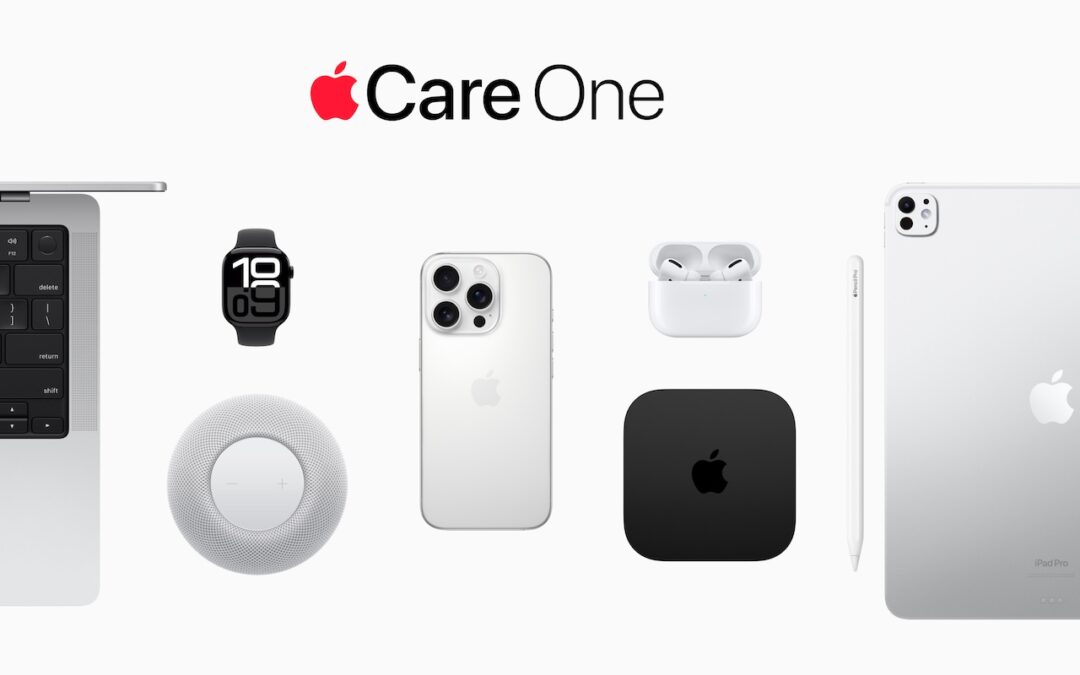
Apple has launched AppleCare One, a new device protection plan that consolidates coverage for multiple Apple devices into a single monthly subscription. For $19.99 per month, US customers can protect up to three devices, with any additional devices costing $5.99 each per month. The plan includes unlimited repairs of accidental damage, battery replacements when capacity drops below 80%, and up to three annual claims for theft or loss of an iPhone, iPad, or Apple Watch. You can add most devices up to 4 years old to your plan, though older devices must be in good condition and may require a diagnostic check. The coverage automatically transfers when you trade in a covered device to Apple and purchase a new one. Keep in mind that AppleCare One is a per-user plan that doesn’t cover multiple users’ devices, and standard service fees and deductibles apply for repairs and replacements.

(Featured image by Apple)
Social Media: Apple’s new AppleCare One plan allows you to cover multiple devices under a single subscription and even add devices up to 4 years old. At $19.99 per month for three devices, it could save you money and simplify your AppleCare coverage.

Recent Comments