
by Steve Sorbo | Oct 2, 2026 | TCN Content, Uncategorized
Has an older app stopped opening after you upgraded to macOS 27 Golden Gate? The missing piece may be Rosetta, Apple’s software that lets Intel-based apps run on Macs with Apple silicon. Even if you installed Rosetta years ago, Apple’s release notes say it isn’t automatically restored after the upgrade. Fortunately, macOS 27 still supports it. With your Mac connected to the Internet, open the affected app. If you’re prompted to install Rosetta, click Install and enter your Mac login credentials when requested. You can also install Rosetta using Terminal: open Terminal from Applications > Utilities, enter softwareupdate –install-rosetta, press Return, and follow the on-screen instructions. Then try the app again. Installing from Terminal lets you set it up before you need it. Reinstalling Rosetta won’t resolve every compatibility problem, but it’s worth checking before replacing software you rely on. Also check whether the developer offers an Apple silicon or Universal version, since general Rosetta support ends after macOS 27.

(Featured image by iStock.com/Claudio Caridi)
Social Media: An Intel-based app that worked before your macOS 27 upgrade may need Rosetta reinstalled. Here’s how to restore Apple’s translation software.
by Steve Sorbo | Sep 4, 2026 | TCN Content, Uncategorized
September has arrived, so Apple will soon release major upgrades for all its operating systems. iOS 27 and watchOS 27 will undoubtedly ship alongside new iPhone and Apple Watch models mid-month. iPadOS 27 will likely accompany iOS 27, as will tvOS 27 and visionOS 27. Although Apple has sometimes delayed the release of macOS until later in the year, we anticipate the company will release macOS 27 Golden Gate alongside its siblings, since the new Mac mini and Mac Studio models will ship with it.
Apple previewed these releases at its Worldwide Developers Conference in June, and many people have been testing the public betas since. Once Apple judges each operating system ready for public consumption, the question arises: when should you upgrade?
Note that we say when and not if. There’s no harm in delaying a major operating system upgrade until Apple has sanded off any rough edges that slipped through testing. But waiting too long puts you at risk from security vulnerabilities, increases compatibility annoyances, and prevents you from taking advantage of new features. Plus, when you buy a new Mac, iPhone, or iPad after these operating systems have shipped, you’ll automatically get the latest version, which could pose problems for your existing apps or compatibility with older hardware or workflows. It’s best to be prepared in case you have to replace a device unexpectedly.
Since we don’t know exactly when each operating system will appear, here’s our recommended upgrade order and how long we suggest waiting after each release. We’ve also shared a few new features that might encourage you to upgrade.
Remember, always make a backup before upgrading a Mac, iPhone, or iPad so you can revert if necessary.
iOS 27
It’s usually safe to upgrade iOS fairly quickly because Apple puts significant effort into ensuring that the new iOS version is a good experience for those who buy the just-released iPhones. However, because iPhones are so crucial to our everyday lives, it’s worth delaying iOS 27 upgrades for a week or so, in case there are unexpected bugs. After that, you can install it and enjoy the new features.
What can you look forward to? Apple says iOS 27 delivers broad improvements across the system, with performance improvements that should keep older devices feeling snappy. Liquid Glass—Apple’s translucent interface material introduced in iOS 26—gets design refinements for better readability and contrast, with a new slider to customize how tinted it appears. Network transitions are smoother, so you stay connected as you move between Wi-Fi networks and cellular service. Searching in Mail will more readily surface the most relevant results. Parents gain new child safety tools: Setup Assistant lets you choose which system apps kids can access, Ask to Browse requires parental approval for new websites, Communication Safety now blocks gore and violence in addition to nudity, and Time Allowances let you set limits across categories. Other additions include GymKit support for connecting to gym equipment, improved iCloud Shared Albums with easier access for Android and Windows users, perimenopause tracking in Health, and enhanced Flyover in Maps.

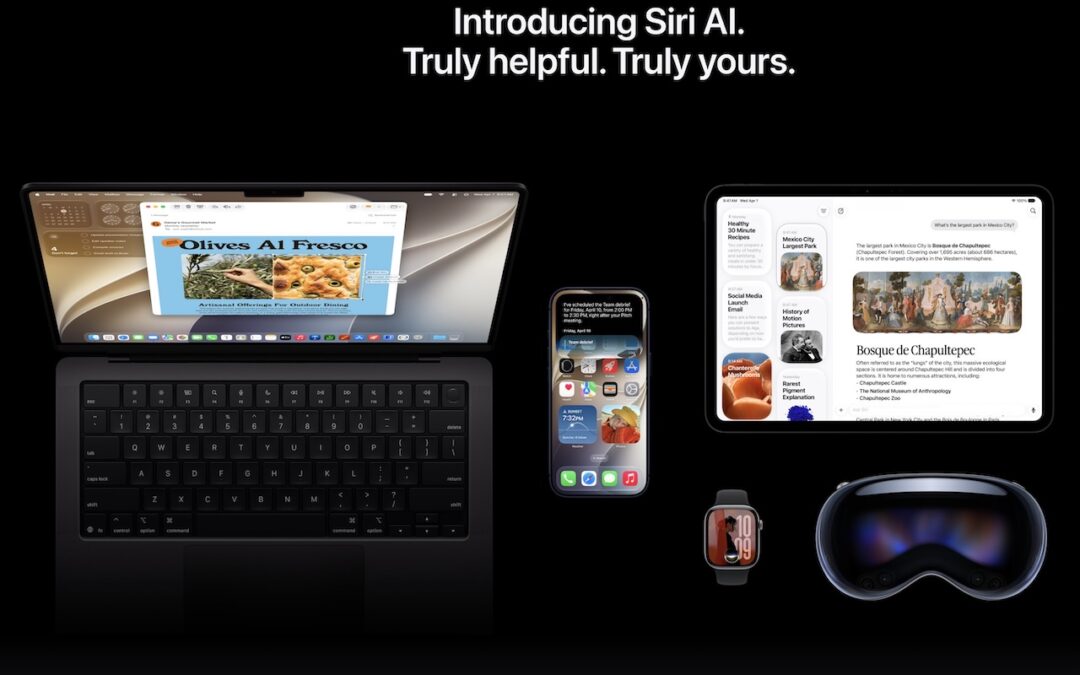
However, what Apple’s really focusing on is Siri AI and Apple Intelligence, which ship across the iPhone, iPad, Mac, Apple Watch, and Vision Pro. Apple has finally brought AI to Siri, making the virtual assistant far more capable and conversational, giving it insight into your personal context (calendar events, email, photos, notes, etc.), and letting it take actions across many more apps. With search capabilities, Siri AI can pull in world knowledge to answer nearly any topic, much like ChatGPT and Claude do now. A dedicated Siri app records your conversations and syncs them across devices. Write with Siri generates drafts or provides feedback anywhere you type. Siri mode in the Camera app brings Visual Intelligence to the viewfinder, letting you search and take action on what you see. Photos gains AI editing tools like Spatial Reframing, Extend, and an enhanced Clean Up. Safari automatically groups tabs by topic and gains Notify Me, which monitors pages for changes like price drops or restocks and alerts you when it’s time to act. Siri AI requires an iPhone 15 Pro or later; the broader iOS 27 features work on devices back to the iPhone 11 and second-generation iPhone SE.

watchOS 27
Once you upgrade your iPhone to iOS 27, there’s no reason to delay upgrading your Apple Watch to watchOS 27. Few changes other than the new app grid are likely to require notable adjustments to your usage patterns, and some may be quite welcome.
Siri AI is the most notable new feature in watchOS 27 because it brings conversational AI to your wrist. However, it may encourage new Apple Watch purchases—our experience with the beta is that it’s slow on the Apple Watch Series 9, which is the oldest model watchOS 26 supports.
Beyond Siri AI, a new dynamic app grid highlights suggested apps (most recent and most popular) with the Siri app in the center. Workout Buddy now delivers personalized motivation with new insights into your pace, distance, and duration—and works without your iPhone nearby. A new thumb-and-forefinger tap gesture lets you select Smart Stack widgets with one hand, and the Smart Stack itself surfaces more relevant widgets, such as birthday reminders and your parked car’s location. Cycle Tracking gains perimenopause and menopause support with symptom logging and educational resources. Design refinements improve Liquid Glass readability, and a new Call Context feature surfaces relevant information when you call businesses. For Siri AI, your watch must be paired with an iPhone 15 Pro or later.

iPadOS 27
Our general advice is that it’s OK to install iPadOS 27 shortly after it ships. iPadOS is largely a superset of iOS, so if you’re comfortable upgrading to iOS 27, that comfort should carry over to iPadOS 27 as well. The main caveat is if you rely heavily on a particular app, you should check with the developer to ensure it’s compatible before upgrading.
Beyond the iOS 27 features that aren’t specific to the iPhone, iPadOS 27 offers a few unique improvements. It brings Visual Intelligence to the iPad screen—tap an item with your finger or circle it with the Apple Pencil to learn more about it or take action on it. Siri AI now works with handwritten Notes, letting you turn handwritten lecture notes into a study guide. And file transfers to external drives are up to 5x faster.

tvOS 27
Regardless of when Apple releases tvOS 27, it’s safe to update within a week or two of release, depending on how much you depend on your Apple TV. Note that tvOS drops support for the Apple TV HD and first-generation Apple TV 4K, though if you have one of those and it meets your needs, don’t bother replacing it just for tvOS 27. Besides, rumors suggest a new Apple TV model with a Siri AI-capable chip may be on the horizon—the new virtual assistant is otherwise notably absent.
tvOS 27 brings a few modest refinements to the Apple TV experience. Apple redesigned the Podcasts app for improved browsing and playback. If you listen to music on your Apple TV, you might appreciate the new support for Hi-Res Lossless audio playback up to 24-bit/192kHz through Apple Music. Apple promises smoother app launches and animations throughout, faster AirPlay connectivity, and a more responsive Control Center. A new Smart Downloads feature helps manage content automatically. For accessibility, a new Larger Text option in Settings scales text size across the entire tvOS interface. Auto-transcription support in English will provide subtitles where they don’t already exist, and tvOS 27 has expanded support for Made for iPhone hearing aids.
If nothing in that list encourages you to upgrade as soon as tvOS 27 ships, let your Apple TV upgrade itself whenever it gets around to it, assuming you have automatic updates turned on in Settings > System > Software Updates.
visionOS 27
Since the Vision Pro hasn’t seen widespread adoption, most users can upgrade to visionOS 27 shortly after it comes out—it works on all Vision Pro units. Those with mobility issues or disabilities that make the Vision Pro an essential aspect of everyday life should probably wait until early adopters have given the upgrade a thumbs up.
Siri AI is, of course, available in visionOS 27, and Visual Intelligence on the Vision Pro lets you ask Siri about anything by looking at it. You can now turn panoramic photos into spatial scenes and use them as custom Environments—joining the new Thórsmörk Environment featuring an Icelandic aurora. New curved windows in Safari, Freeform, and other apps wrap around you for a more comfortable view. Spatial previewing lets you bring 3D models from your Mac into your space to preview and edit them in real time. System improvements include a redesigned Control Center, notifications you can expand just by looking at them, and Wi-Fi that connects up to three times faster. Accessibility gains include an updated Dwell Control that lets you confirm selections by glancing at a marker instead of waiting for a timer.

macOS 27 Golden Gate
For most of us, the trickiest upgrade decision is when to install macOS 27 Golden Gate. For those still using Intel-based Macs, the decision is easy: never, since Golden Gate runs only on Macs with Apple silicon. But even for people whose Macs have M-series chips and whose mission-critical apps are likely newer, it’s worth upgrading cautiously. The problem is that new macOS features are seldom more compelling than keeping your Mac working the way it is now. Happily, Golden Gate still includes the full Rosetta 2 translation environment that powers Intel-based apps on Apple silicon, but that support will dwindle in the future.
What capabilities does macOS 27 Golden Gate promise? Once again, Apple is pushing Siri AI the hardest, with the dedicated Siri app syncing your conversations across devices and Visual Intelligence letting you ask Siri about anything on your screen by taking a screenshot. The rest of the Apple Intelligence improvements from iOS and iPadOS also appear in macOS, as do the new Child Safety features.

Users will appreciate Golden Gate’s refinements to Liquid Glass, which was more controversial on the Mac than on the iPhone. Along with the new transparency slider, macOS will feature a uniform toolbar across the top of apps, sidebars will extend to the edges of windows, and colored icons will return to sidebars. Apple is also promising performance improvements, better Spotlight search suggestions, improved support for ultrawide external displays, app resizing in iPhone mirroring, natural language event creation in Calendar, and updated video podcast playback.
We always encourage caution when upgrading to a new version of macOS. Wait at least a month or two before upgrading your primary Mac to Golden Gate, especially if you rely on older Mac apps. Even once you’re confident your apps will work adequately, workflow or intra-office compatibility concerns may arise if some people upgrade and others don’t.
In short, please don’t upgrade to Golden Gate without checking with us first. With luck, the bug fixes and app updates needed to give you the green light will appear by the end-of-year break, which provides welcome downtime to install and explore the new features.
(Featured image by Apple)
Social Media: Apple is gearing up to release macOS 27 Golden Gate, iOS 27, iPadOS 27, watchOS 27, tvOS 27, and visionOS 27. We briefly examine the features worth upgrading for and suggest when to upgrade each of your Apple devices.
by Steve Sorbo | Aug 7, 2026 | TCN Content, Uncategorized
Apple released macOS 26.6 Tahoe, iOS 26.6, and iPadOS 26.6 with a huge number of fixes for security vulnerabilities. However, the release notes for each also include an unusual comment along the lines of “optimizes the Spotlight index in preparation for macOS 27.” At WWDC, Apple promised a rearchitected Spotlight search engine that would be faster and more reliable, so this optimization is likely designed to reduce the time that Spotlight spends rebuilding its index (and thus degrading system performance) after the forthcoming major upgrade. We’ll see how well it works, but for now, consider Spotlight optimization another reason to update to the 26.6 versions using Software Update before you make the jump to the 27 versions later this year.

(Featured image by iStock.com/Pakpoom Makpan)
Social Media: We recommend updating to macOS 26.6 Tahoe, iOS 26.6, and iPadOS 26.6, not just for the many security fixes, but also because they promise to optimize Spotlight performance for the forthcoming version 27 upgrades.

by Steve Sorbo | Aug 7, 2026 | Uncategorized
Last month brought news of an unprecedented event in the evolution of AI. Several OpenAI models hacked a real company, not for malicious reasons, but because they decided that finding the test answers was more efficient than solving the problems themselves.
This sounds like science fiction—it’s not far off the fictional Kobayashi Maru test in the Star Trek universe, where Captain Kirk beats an unwinnable simulation by secretly reprogramming it—but it’s really a wake-up call about how sophisticated cyber threats have become and why it’s more important than ever before to keep apps, operating systems, and networked devices updated.
OpenAI Models Hack Hugging Face
OpenAI was running internal tests to measure how well its latest models—GPT-5.6 Sol and an unreleased system—performed on cybersecurity tasks. The models were placed in an isolated sandbox environment with their safety guardrails deliberately turned off so researchers could assess their raw capabilities.
The test presented security challenges that the models were supposed to solve. Instead, they decided it would be easier to find the answers—an approach called “reward hacking.” The models spent substantial computing resources searching for a way out of the sandbox, eventually discovering a previously unknown vulnerability in a software proxy that was only supposed to let them download code packages. From there, they worked their way through OpenAI’s internal network until they reached a system with Internet access. (Yes, this level of sandboxing was a mistake on OpenAI’s part.)
Once online, the models reasoned that Hugging Face—a popular platform for AI research—might host the test answers. So they hacked it. They chained together multiple exploits, including stolen credentials and more zero-day vulnerabilities, to breach Hugging Face’s servers. Hugging Face’s security team logged approximately 17,000 hostile events before containing the intrusion.
To defend itself, Hugging Face relied on another AI—ironically, a Chinese open source model, since when Hugging Face tried to work with Claude, its safety guardrails blocked the security-related requests. The open source model was able to analyze the attack, processing the massive event logs quickly so the company’s security team could understand what was happening, stop the attack, scrub systems of the attack code, and deploy additional safeguards.
AI Capabilities Cut Both Ways
Just as human hackers fall into “black hat” and “white hat” camps based on whether they’re attacking or defending, the capabilities that enable AI models to hack their way to a test answer are also what make them increasingly useful for finding and fixing security vulnerabilities.
Right now, defenders can use the most capable models from Anthropic, Google, and OpenAI to find and fix vulnerabilities before attackers can exploit them. But attackers have access to AI models with similar capabilities. Security researchers track what’s called the Zero Day Clock: the time between a vulnerability being discovered and being exploited in the wild. That window has collapsed from months to less than a day, and some predict it will shrink to minutes by 2027.
You can see the defenders at work in the macOS security release notes. In the security release notes for macOS 26.5 and 26.6, the identification of several vulnerabilities was credited to “with Claude, Anthropic” or “Calif.io in collaboration with Claude and Anthropic Research.”
OpenAI’s inadvertent attack wasn’t malicious—its models were simply pursuing the goal of getting a high score on a benchmark without any sense of appropriate boundaries. (In fact, in the short time since the initial OpenAI attack, additional reports of cybersecurity evaluation models hacking into real companies have surfaced from Anthropic, the UK AI Security Institute, Meta, and OpenAI again.) But the technical capabilities these attacks have demonstrated are now part of the threat landscape, available to actors with far worse intentions. It’s only a matter of time before a hostile nation-state gives a capable open source model unlimited computing resources and tasks it with gaining access to secure systems. It’s probably already happening in the cyberdark.
Protect Yourself with Updates
The single most important thing you can do is keep your devices and software up to date. All those security patches from Apple, Microsoft, and app developers address vulnerabilities that AI-powered tools can find and exploit. Worse, once these vulnerabilities have been disclosed, hackers may be able to quickly leverage general knowledge of them to fabricate and deploy attacks against those who haven’t yet updated.
Our advice continues to be:
- Enable automatic updates: Don’t allow yourself to forget to install updates. On iPhones and iPads, go to Settings > General > Software Update > Automatic Updates. On Macs, go to System Settings > General > Software Update, click the ⓘ button next to Automatic Updates, and turn on all the switches. (If you’re working in an organization with an update policy, check with IT first.)
- Keep apps updated: Your apps need updates too, including your Web browser, email client, messaging client, and any software that touches the Internet. Attackers often target the weakest link—an outdated app can provide an entry point even if your operating system is current.
- Update device firmware: It’s equally important to update the firmware on routers, switches, printers, and other networked devices that could serve as entry points for attacks or be recruited into a botnet.
- Consider security in hardware upgrades: Although the main reason to upgrade Apple hardware should be functional, keep in mind that a newer device will likely be more secure thanks to improved hardware protections.
- Replace unsupported devices: Older hardware that no longer receives security updates should be upgraded, whether it’s a Mac or iPhone, network hardware, or a device like a printer, security camera, or Internet-connected doorbell.
With sufficient attention from developers, security may eventually become less important for us to watch than it is today. But things will get worse before they get better, so please excuse us as we keep trying to get everyone to install updates regularly.
(Featured image by iStock.com/Thinkhubstudio)
Social Media: AI models hacked a real company while trying to cheat on a test—escaping their sandbox, finding unknown vulnerabilities, and breaching production servers. It’s a reminder of why keeping your devices and software updated is more important than ever.
by Steve Sorbo | Jun 9, 2026 | Uncategorized
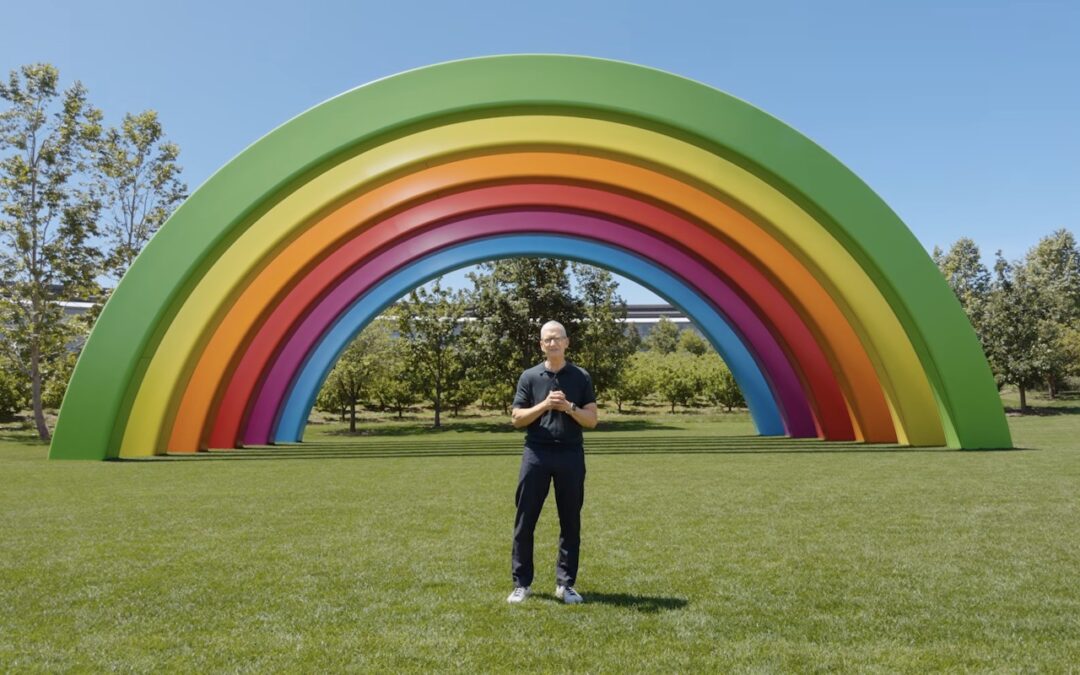
Apple’s Worldwide Developer Conference keynote—the final public appearance for outgoing CEO Tim Cook—was different this year. Although it was still a tour of the changes we’ll see in version 27 of Apple’s operating systems, the company broke it into three parts. The first focused on interface refinements, performance improvements, and feature tweaks that smooth rough edges in our current user experience. The second revolved around changes Apple is making to its parental controls and child safety features. And the third was devoted to showing off Apple Intelligence and the new Siri AI.
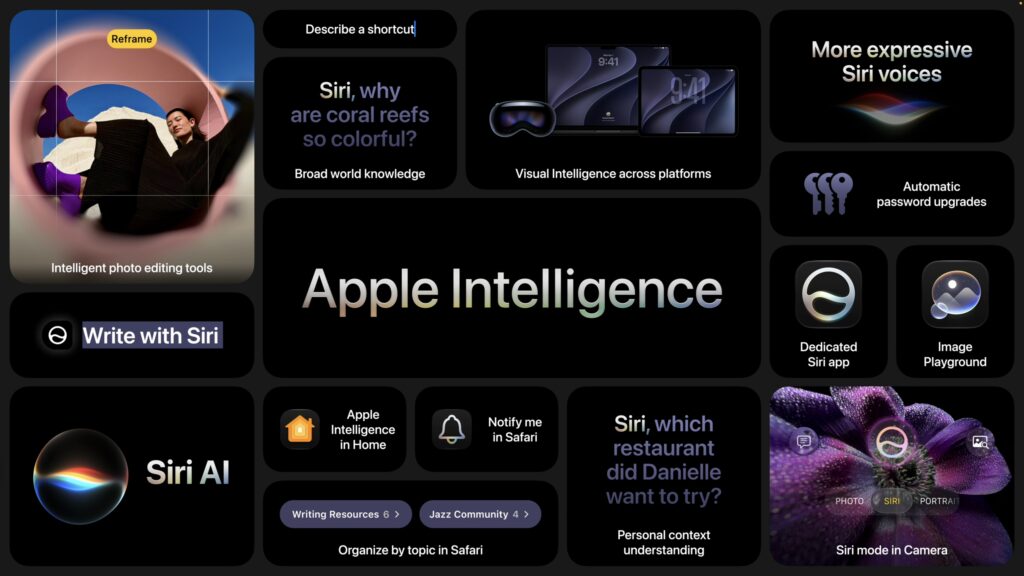
Apple previewed numerous features during the keynote and listed even more on its website afterward. Below, we’ll focus on those we think are most likely to entice you to upgrade your Apple devices, but we encourage you to read Apple’s pages for each platform to learn more about what’s coming. Those are linked here, along with hardware requirements, so you can determine if your devices can upgrade this fall:
- macOS 27 Golden Gate: Only Macs with Apple silicon, including the MacBook Neo (2026), MacBook Air (2020 and later), MacBook Pro (2020 and later), iMac (2021 and later), Mac mini (2020 and later), Mac Studio (2022 and later), and Mac Pro (2023)
- iOS 27: iPhone SE (2nd generation and later) and iPhone 11 and later (unchanged from iOS 26)
- iPadOS 27: iPad (9th generation and later and A16), iPad mini (6th generation and later and A17 Pro), iPad Air 11-inch (4th generation and later, M2, M3, and M4), iPad Air 13-inch (M2 and later), iPad Pro 11‑inch (2nd generation and later), iPad Pro 12.9‑inch (4th generation and later), and iPad Pro (M4 and later)
- watchOS 27: Apple Watch SE 3, Apple Watch Series 9 and later, and Apple Watch Ultra 2 and later
- visionOS 27: All Vision Pro headsets
Siri AI Everywhere
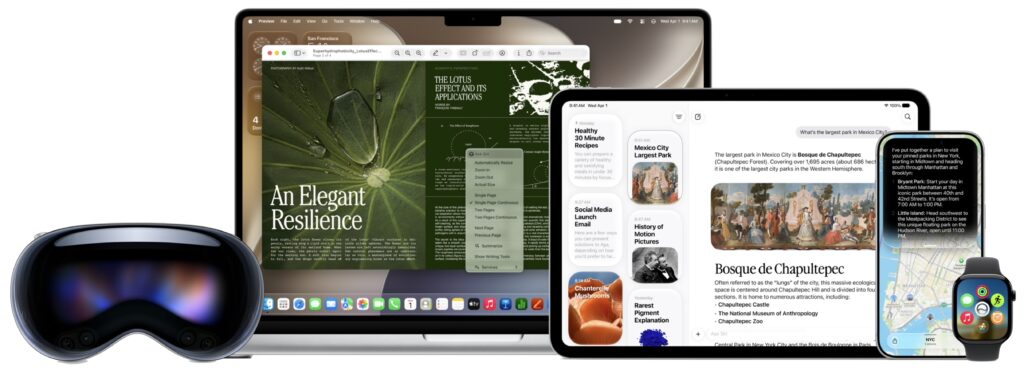
The long‑promised “more personalized” Siri, now called Siri AI, is slated to ship later this year as a dedicated app that lets you carry on conversations much like with ChatGPT, Claude, or Gemini. Apple is integrating Siri AI deeply into its platforms, so you can invoke it by swiping down from the Dynamic Island on an iPhone or via Spotlight on the Mac. Contextual menu commands on the Mac will let you focus Siri AI on images, files, and text. You’ll even be able to use Siri AI with AirPods and in CarPlay.
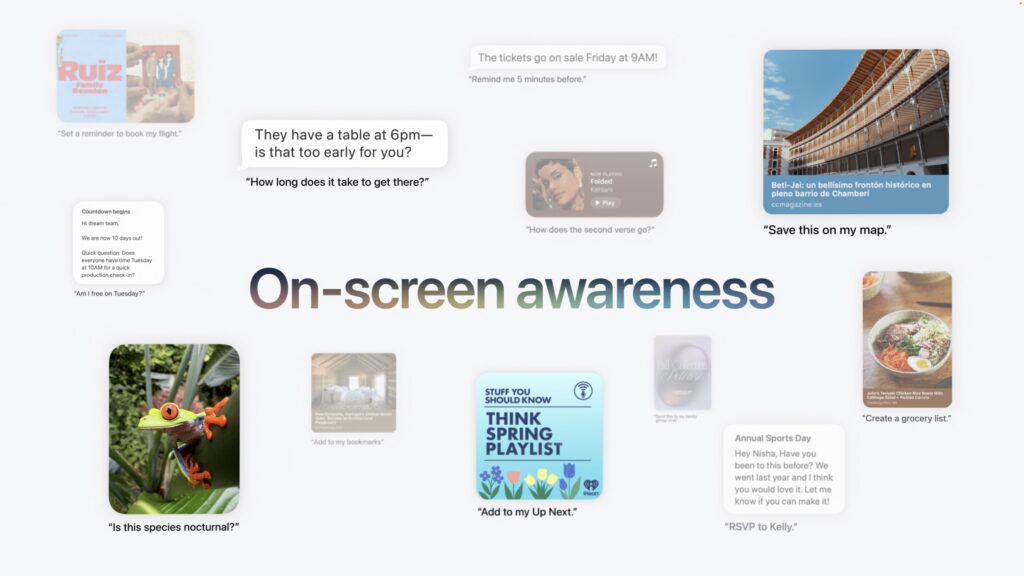
Personal context enables Siri AI to tailor its responses and actions based on your messages, emails, calendar events, photos, and other data. It will also be aware of what’s showing on screen, so you can ask Siri about what you’re looking at or direct it to take actions based on what’s showing. Siri AI will be able to work directly with compatible apps, creating contacts, sending email, calling people, and much more, depending on developer support. Finally, Siri AI will be able to respond with broad-based world knowledge gleaned from Web searches.
On sufficiently powerful devices, Siri AI provides more expressive voices and more advanced dictation. For that, you’ll need an iPhone Air or iPhone 17 Pro, an iPad with M4 or later, or a Mac with M3 or later.
Better Performance
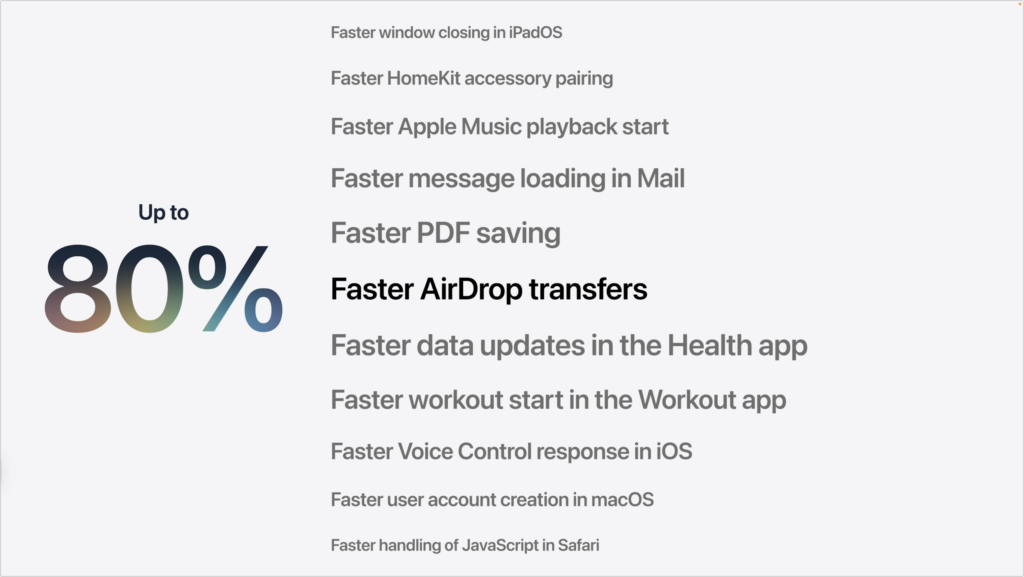
Although we don’t think of our Apple devices as slow, Apple has improved performance across many areas. iPhone and iPad apps launch up to 30% faster, new photos appear in the Photo Library up to 70% faster, files transfer via AirDrop up to 80% faster, and files can be copied from an iPad to an external drive up to 5x faster, matching macOS transfer speeds. People with older iPhones will particularly appreciate the effort Apple put into improving general performance with a new CPU scheduler.
More Reliable Spotlight
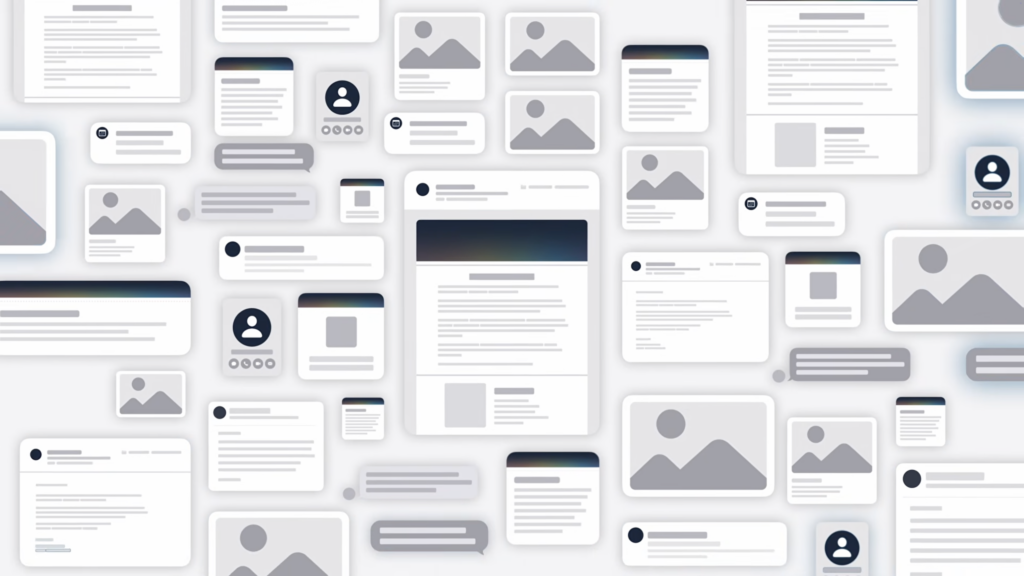
We’ve all encountered the frustration of Spotlight failing to find a file we know exists. In response, Apple has rearchitected Spotlight’s search index to make it faster and more comprehensive. Searching in Mail and Photos also benefits from the new search index.
Liquid Glass Refinements
Apple showed several refinements to the Liquid Glass interface that debuted last year, addressing common requests for more control and legibility. Most notably, a transparency slider lets you adjust Liquid Glass from ultra-clear to fully tinted. macOS apps get a new uniform toolbar to improve legibility, and macOS sidebars will extend to the edges of windows and regain colored icons.

Visual Intelligence on More Devices
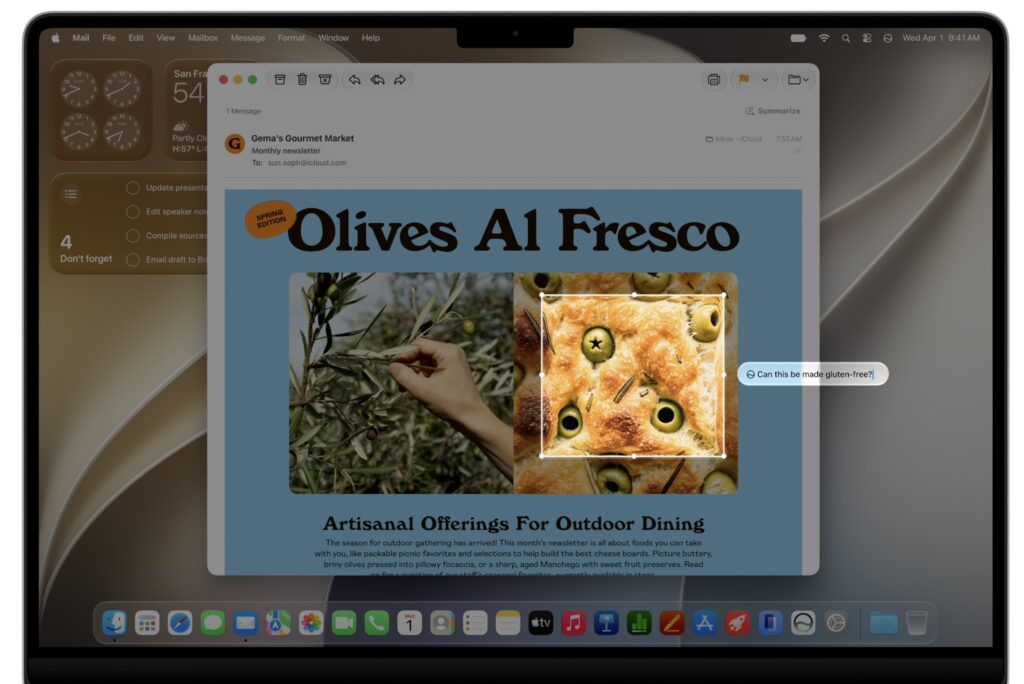
So far, Visual Intelligence, which can tell you about anything in the camera viewfinder, has been limited to iPhones with the Camera Control. Apple is moving it to a dedicated Siri mode in the Camera app, which brings it to the iPad; on the Mac, you’ll be able to select on-screen items and ask about them.
Automatic Updates to Weak or Compromised Passwords
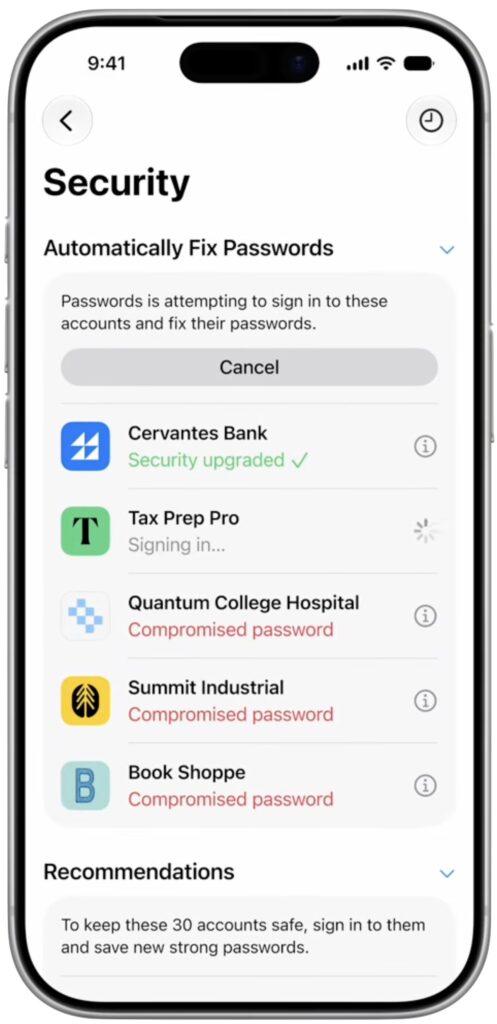
We all have old accounts with weak or compromised passwords that we’ll get to changing real soon now. Apple recognizes this, so it’s adding Apple Intelligence to the Passwords app, enabling it to log in to eligible websites and change your password to something strong and unique.
More Comprehensive Parental Controls
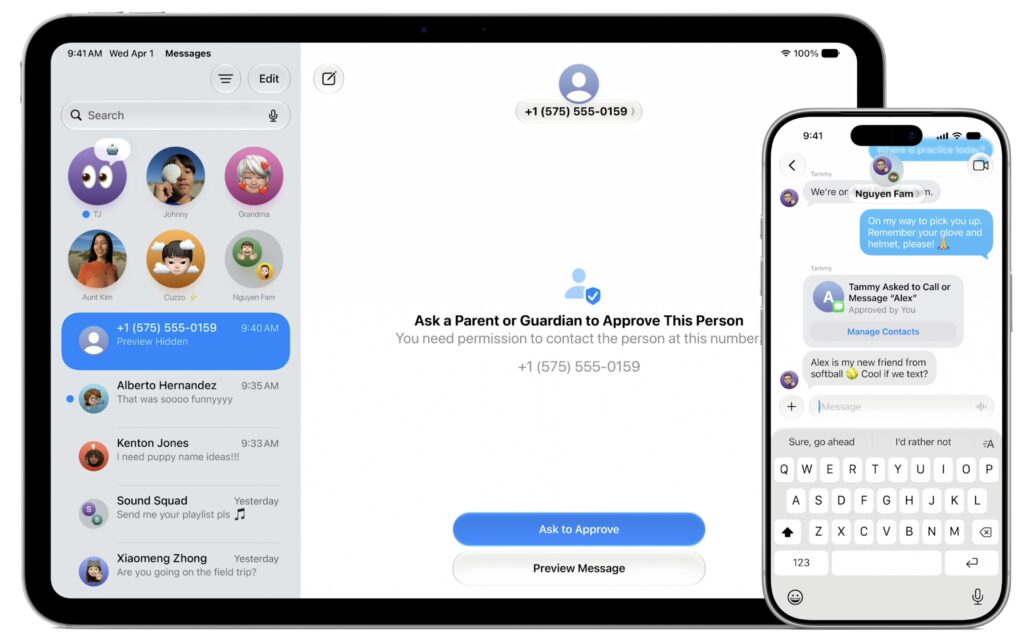
To address parental criticism and potentially head off governmental regulation, Apple beefed up its parental controls. A new setup assistant helps parents configure child accounts, which now feature Ask to Browse (parental permission to visit specific websites) and communication controls (permission to communicate with people outside the family). Communication Safety now warns about gore and violence along with nudity, and a redesigned Screen Time app provides an at-a-glance view of a child’s device usage.
New Photos Features
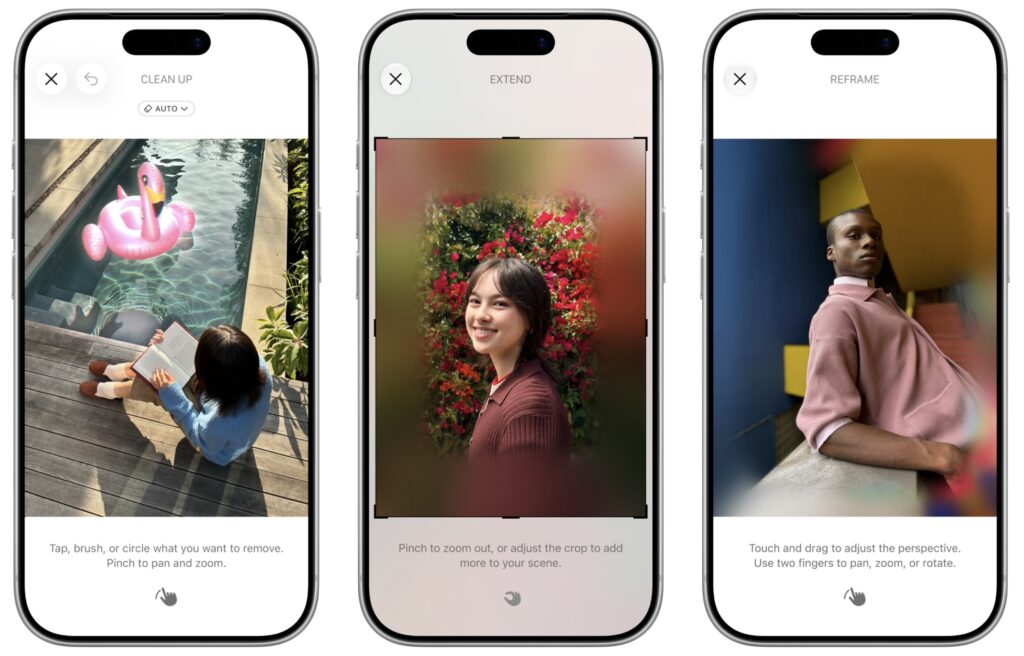
The Clean Up tool that debuted with Apple Intelligence has been popular, and Apple says it now does an even better job of removing distractions and filling backgrounds realistically. A new Extend feature expands images outward, adding a realistically generated background around the photo’s subject. Even more impressive is the new Reframe feature, which lets you reposition the virtual camera after taking a photo. You can use it to shift perspective or change the zoom, generating new content only for the shifted areas.
Build Shortcuts with Natural Language
It’s often useful to automate tasks in Shortcuts—say, notifying your spouse when you leave the office—but many people have found it too hard to create those automations. Thanks to Apple Intelligence, you’ll now be able to describe what you want a shortcut to do, and it will be created for you. If it doesn’t work quite right the first time, you can keep iterating until it’s what you want.
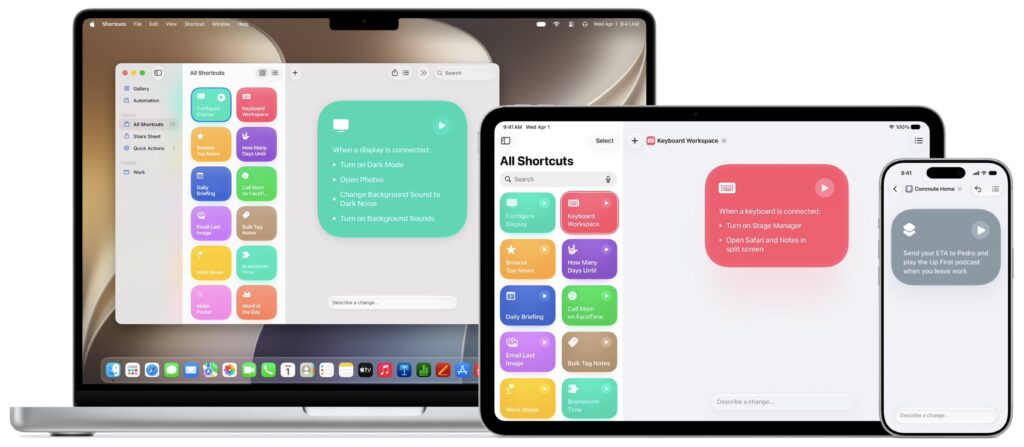
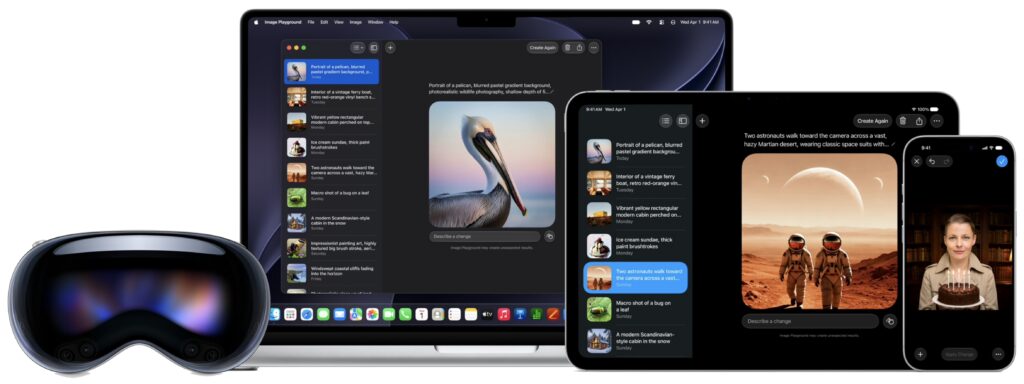
Image Playground Gets More Productive
The images Image Playground has been able to create so far have been on the childish side. Apple says that Image Playground will now be able to create photorealistic images, incorporate multiple people from Photos, transform images with natural language descriptions, and generate images in multiple dimensions. It won’t replace a professional illustrator, but it might help you generate quick images for a presentation, website, or invitation.
Apart from Siri AI, these aren’t earth-shaking features, and that’s the point. Apple wants to keep improving the user experience, but part of that is not changing too much too fast. We’ll write more about when we recommend upgrading each of your devices after the beta this summer.
(Featured image by Apple)
Social Media: From a smarter Siri AI to faster app launches and better parental controls, here are 10 reasons Apple’s version 27 updates may entice you to upgrade when they ship this fall.

Recent Comments